Module guide: Production Profiles
What a Production Profile is
The recipe that Planning, Space, Execution and Orders all read. Part of the walkthrough: Step 6.
In one sentence
A production profile lists the phases a plant goes through (for example germination, grafting, dark room, hardening), how long each lasts, where it grows, how crowded it is, how many plants you expect to lose, and what you use and do along the way.
Why it matters
When you create a batch, OperoNMS copies the profile into the batch's plan. The batch then inherits its phases, durations, losses and environments. That one plan feeds the rest of the system:
| Part of OperoNMS | What it takes from the profile |
|---|---|
| Planning | Phase durations (rounded to whole weeks), seasonal changes for the start month, and the loss % of each phase. From these it works out the start date, ready date, lead time, how many plants must start to deliver an order, and the quantity in and out of every phase. |
| Space | The density of each phase (plants per m²). Plants in a phase ÷ density = the area, in m², that the batch needs in that phase's growing environment. |
| Orders and availability | Expected yield, the expected grade mix (what share of plants will be Grade A, B or cull) and, for a Harvest phase, the weekly output that can be offered. |
| Execution | The phases and stage roles you see on the batch record, and the planned weeks and counts that you compare with real counts on the batch's Actuals tab. |
| Materials and cost | Quantities of each material per 1,000 plants, multiplied up for the plants in the phase that uses them. |
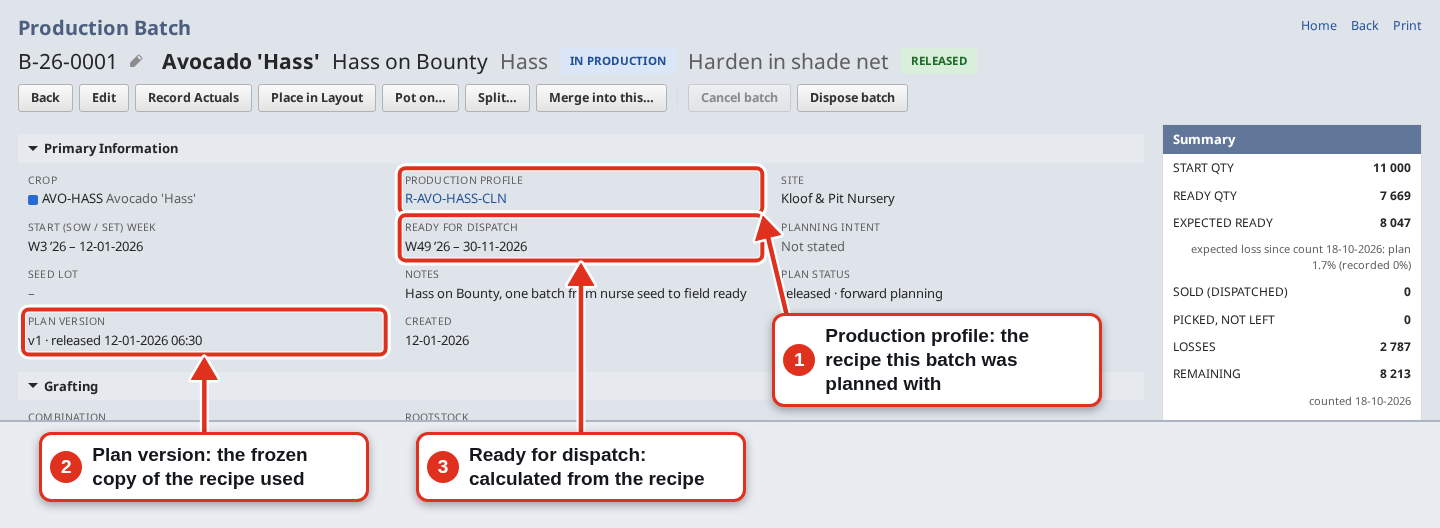
A batch remembers which profile and version it was planned with
- 1Production profile: the recipe the batch was planned with (here R-AVO-HASS-CLN).
- 2Plan version: the plan holds a frozen copy of the recipe, so changing the profile later does not change batches already planned.
- 3Ready for dispatch: this date was calculated from the profile's phases.
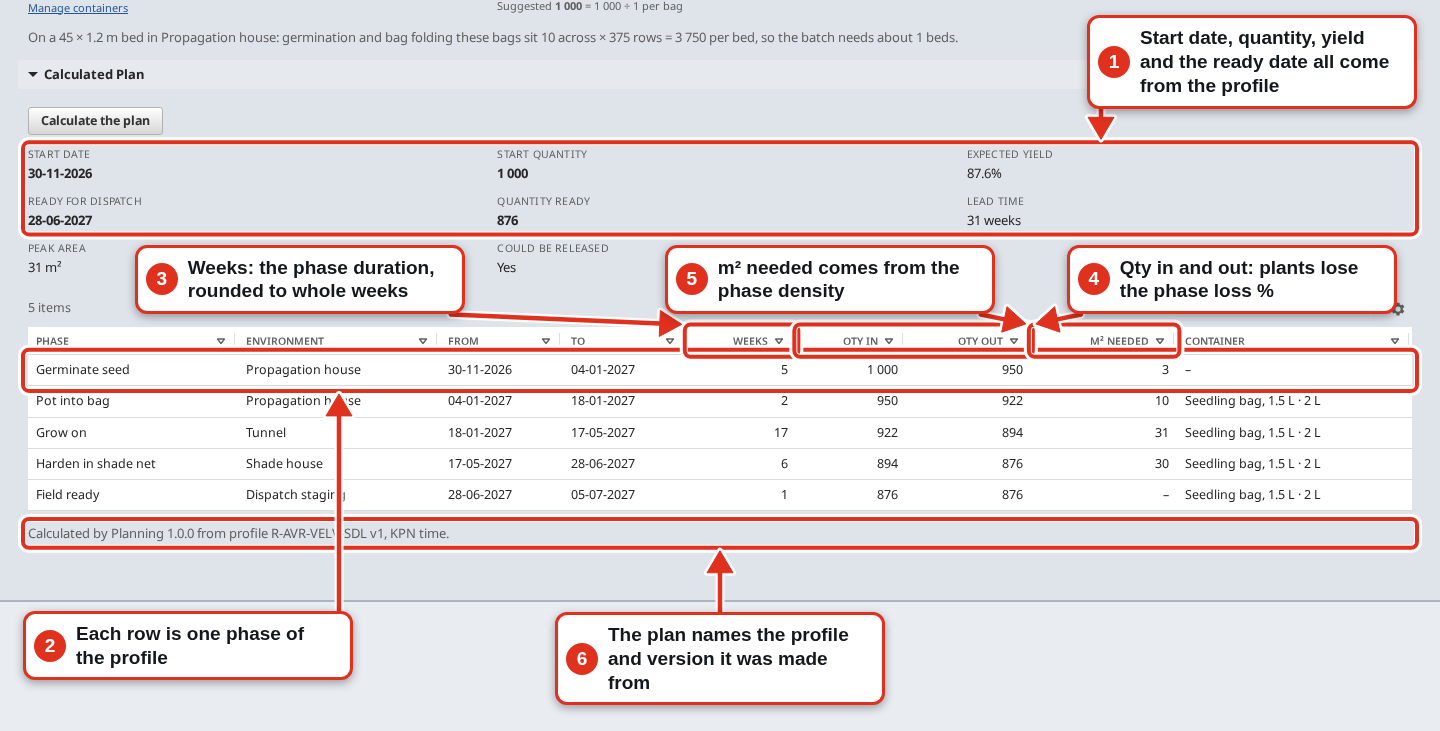
What a plan looks like when it is calculated from a profile
- 1Start date, quantity, expected yield, ready date and lead time all come from the profile.
- 2Each row is one phase of the profile.
- 3Weeks: the phase's duration rounded to whole weeks. A phase always takes at least one week.
- 4Qty in / Qty out: plants lose the phase's Loss % as they move on.
- 5m² needed: plants in ÷ the phase's density.
- 6At the bottom the plan names the profile and version it was made from.
Good to know: a profile that is Active is never edited. To change a recipe you make a new version. Batches already planned keep the version they were made with, so you can always explain why a batch was planned the way it was.
Words you will see
- Phase: one step of the recipe, such as Germinate seed.
- Version: one saved state of the recipe: v1, v2 and so on. Only one version is Active at a time.
- Active: the version that new plans are made from.
- Draft: a version you are still editing. Nothing plans from a draft.
OperoNMS demo guide. Every name, code and figure in the pictures is invented for training.