Module guide: Production Profiles
Seasonal Timing
The same phase takes longer in winter. Tell OperoNMS once, and every plan knows.
What it is
A table with one row per phase and one column per month. In each box you type extra days (+) or fewer days (−) for a phase that starts in that month. Empty or 0 means no change. The unit follows “Durations entered in” (days or weeks).
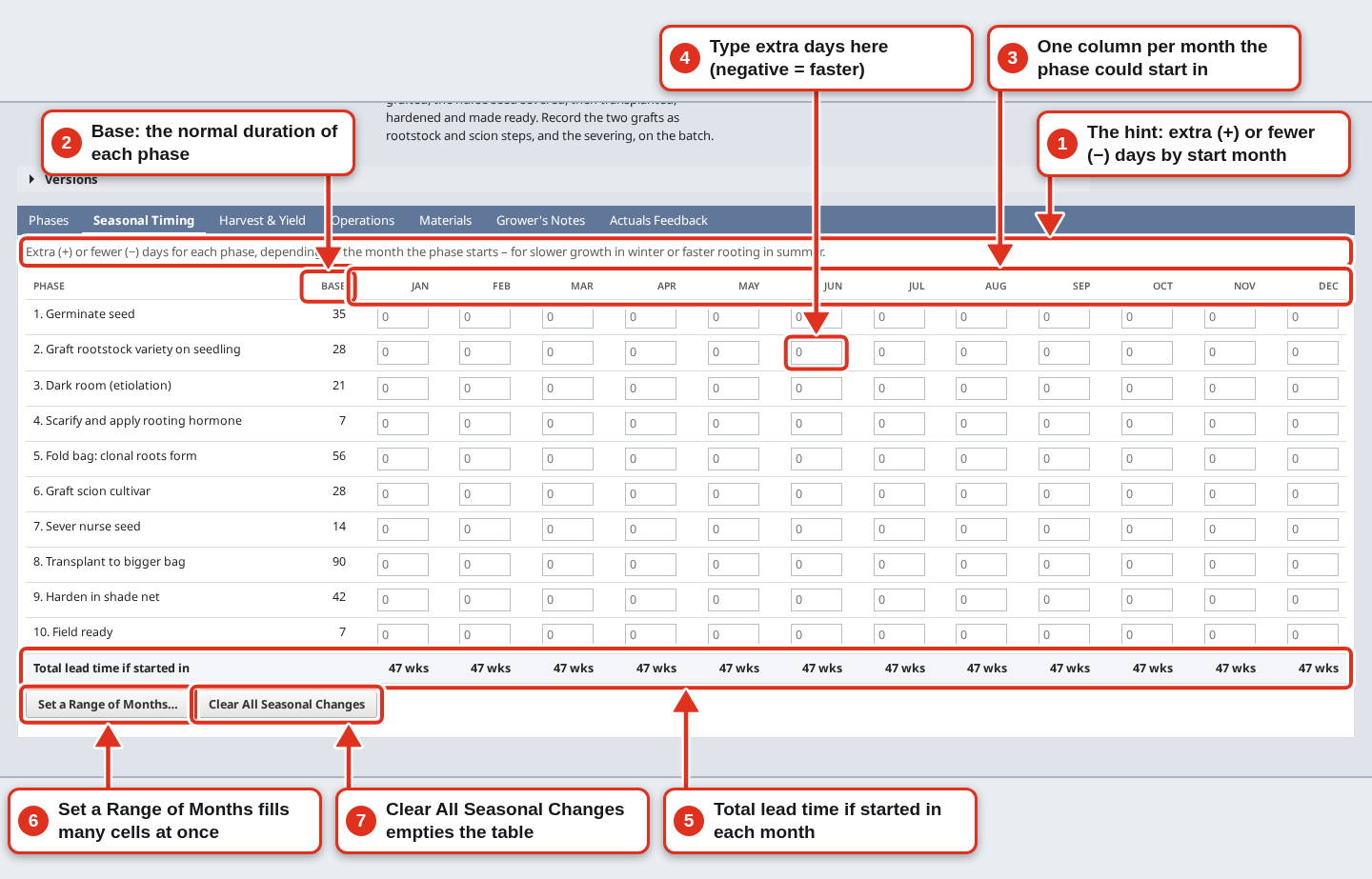
The Seasonal Timing tab (empty, on a draft)
- 1The hint: extra (+) or fewer (−) days for each phase, depending on the month the phase starts.
- 2Base: the normal duration from the Phases tab.
- 3Jan to Dec: the month the phase starts in.
- 4Type a number into a box. Negative shortens the phase. It saves when you leave the box.
- 5Total lead time if started in: the whole recipe's length for a batch started in each month.
- 6Set a Range of Months… fills many boxes at once.
- 7Clear All Seasonal Changes empties every box, for every phase.
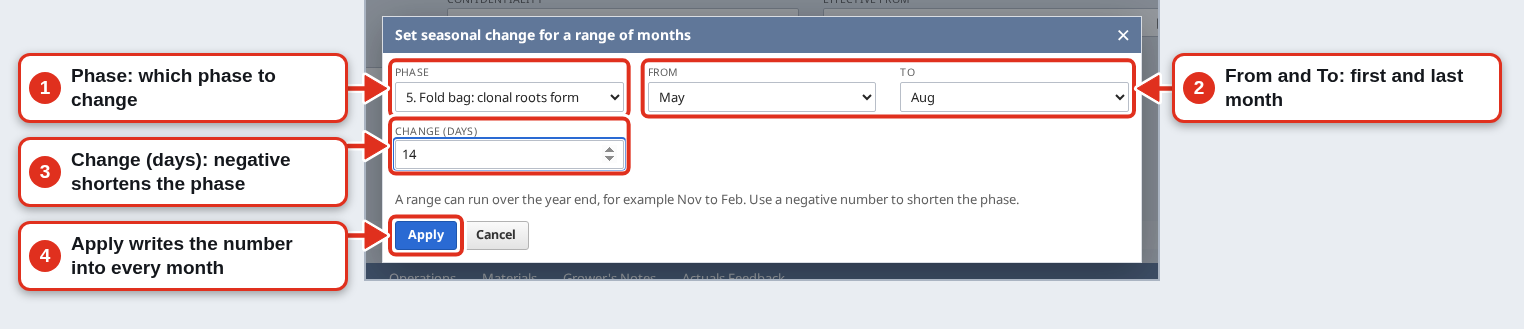
Set a range of months
- 1Phase: choose the phase.
- 2From and To: the first and last month. A range can run over the year end, for example Nov to Feb.
- 3Change: days to add (negative to remove).
- 4Apply writes the number into every month of the range.
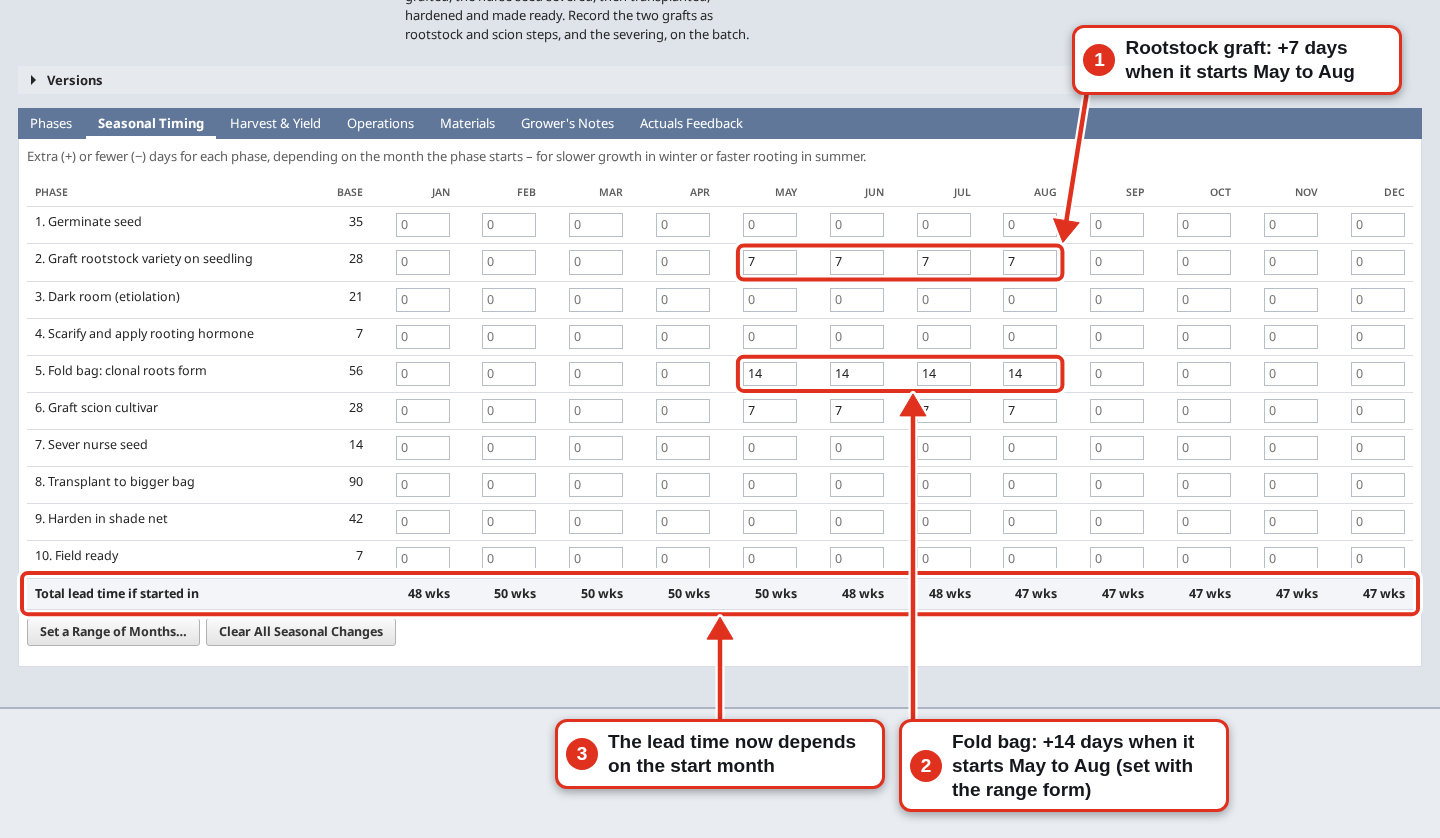
After filling it in
- 1The two grafting phases take +7 days when they start May to August.
- 2Fold bag: clonal roots form takes +14 days in May to August (set with the range form).
- 3The lead time now depends on the start month: 48 weeks for a January start, 50 for February to May, 47 for August to December.
What it means and how it is used
- Planning looks at the month in which each phase actually starts, not the month the batch starts. A winter graft that starts in June gets June's change even if the batch was sown in March.
- The adjustments change the phase's days; the plan then rounds to whole weeks. The phase never goes below 1 day: if your changes would make a phase shorter than one day in some month, Make Active is refused.
- The totals row is worked out starting on the first of each month. It shows why ‘when you sow’ matters: here a February start takes three weeks longer than an August start.
- Space and capacity follow: a longer phase keeps beds occupied for more weeks.
What matters
- Use real experience: “graft union takes about a week longer in winter”. Do not guess.
- A seasonal change is for timing. If the winter loss is higher, that is not captured here: loss % is one number for the phase.
- Changes to seasonal timing only affect new plans, after you Make Active.
Common mistakes
- Typing the number in the wrong unit (days when the table is in weeks).
- Putting the adjustment under the month the batch starts instead of the month this phase starts.
- Clear All Seasonal Changes removes the changes for all phases, not just one.
Try it
OperoNMS demo guide. Every name, code and figure in the pictures is invented for training.