Module guide: Production Profiles
Step 3 · The New production profile form
Every field, what to type and what it means.
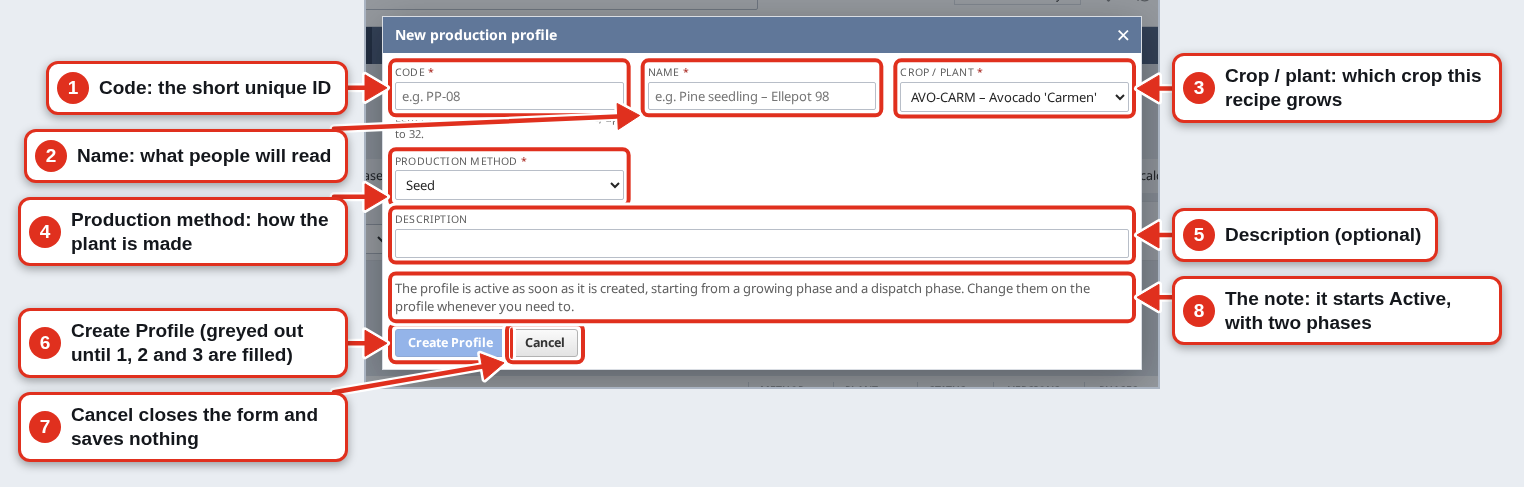
The empty form (click New Profile)
- 1Code (required): a short ID that people will type and see everywhere. Letters, digits, dot, dash or underscore, up to 32 characters, starting with a letter or digit. It is turned into capitals as you type. It must be unique, so choose a pattern and keep to it (ours: R-crop-name-role).
- 2Name (required): up to 200 characters. This is what people read in lists. Say what is special.
- 3Crop / plant (required): the crop this recipe grows. It lists the crops that are not retired. You cannot change it later.
- 4Production method (required): Seed, Cutting, Bought-in plugs, Transplant, Stock plants (mother plants that are harvested) or Grafted. You cannot change it later.
- 5Description (optional): a sentence or two for colleagues. It is shown on the profile but cannot be edited there.
- 6Create Profile: greyed out until Code, Name and Crop are filled in and the code is valid.
- 7Cancel: closes the form and saves nothing (so does the ✕ at the top right).
- 8A reminder: the profile is Active as soon as it is created, starting from a growing phase and a dispatch phase.
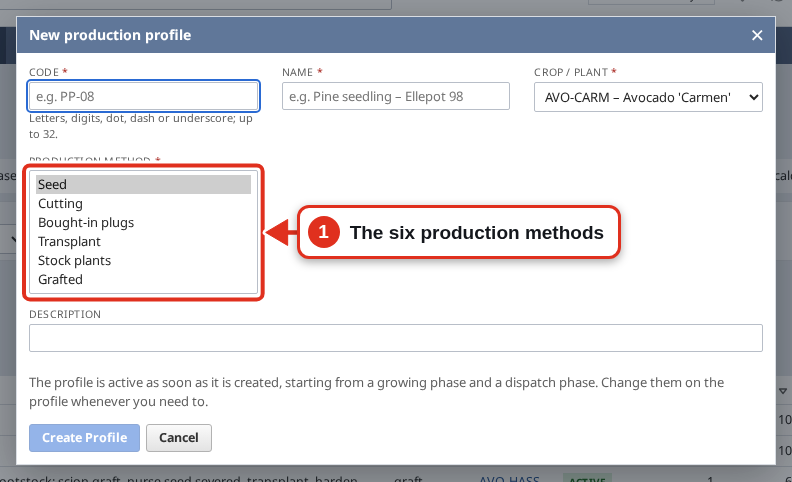
The six production methods
- 1Choose the way the plants are made. Grafted recipes are used with Grafting combinations; the others are chosen when you create a batch.
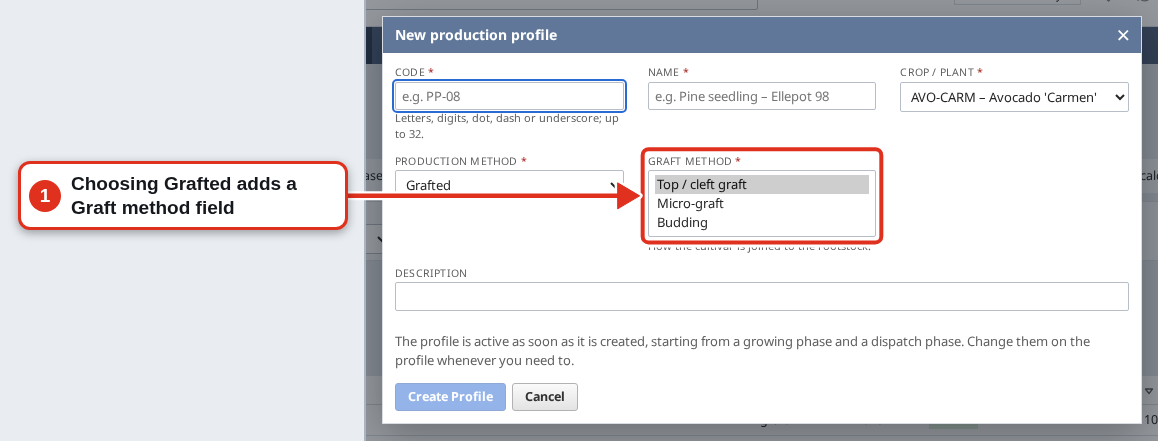
Choosing Grafted adds a “Graft method” field
- 1Graft method (required for Grafted): Top / cleft graft, Micro-graft or Budding. Only a grafted recipe has one, and it cannot be changed afterwards.
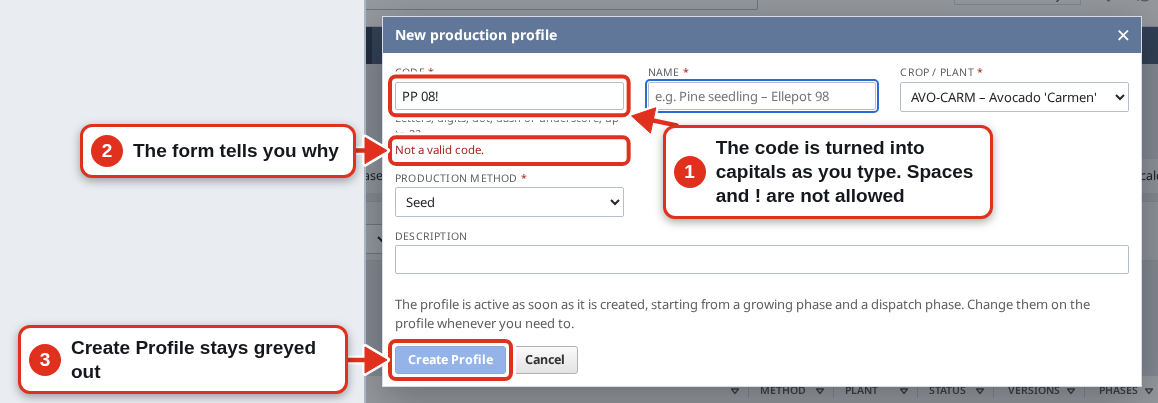
What happens with a bad code
- 1Spaces and symbols such as “!” are not allowed. Capitals are added for you.
- 2The form says Not a valid code.
- 3Create Profile stays greyed out until the code is fixed.
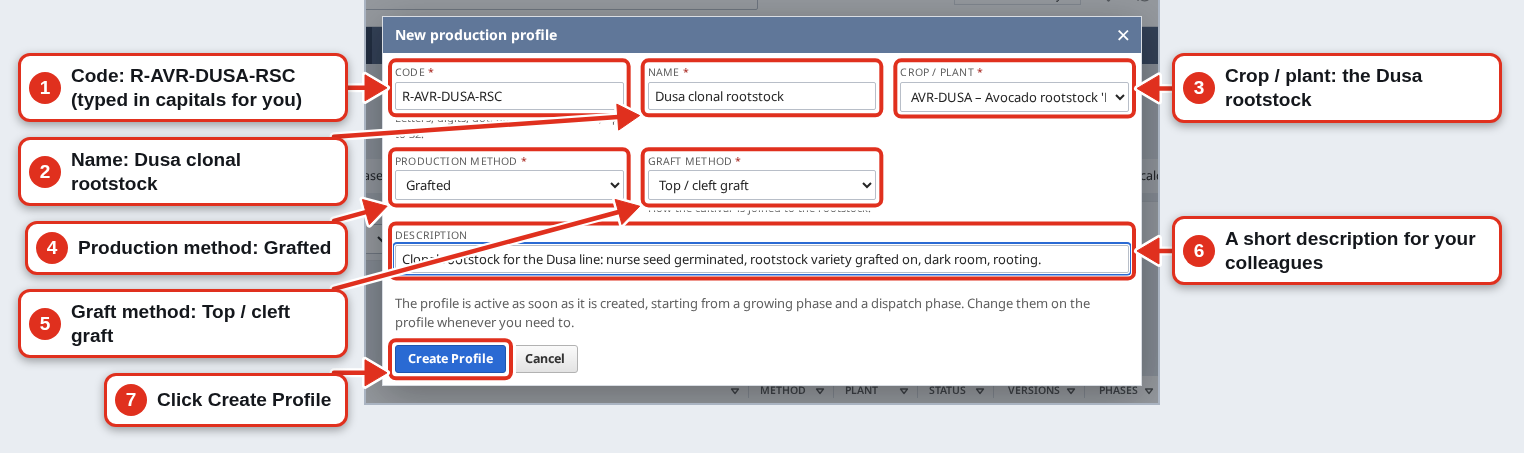
Our example, filled in
- 1Code: R-AVR-DUSA-RSC
- 2Name: Dusa clonal rootstock
- 3Crop / plant: AVR-DUSA – Avocado rootstock 'Dusa'
- 4Production method: Grafted
- 5Graft method: Top / cleft graft
- 6Description: Clonal rootstock for the Dusa line: nurse seed germinated, rootstock variety grafted on, dark room, rooting.
- 7Click Create Profile.
If the code is already used
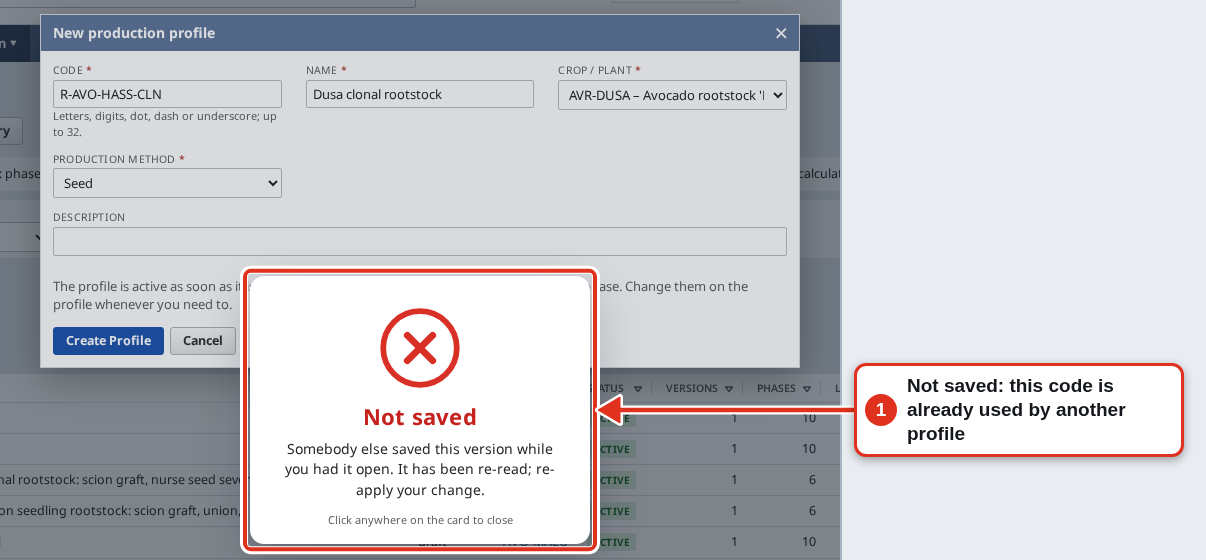
A duplicate code is refused
- 1A red Not saved card appears and nothing is created. Choose a different code. (The code is taken.)
Try it
OperoNMS demo guide. Every name, code and figure in the pictures is invented for training.