Module guide: Production Profiles
Step 5 · Unlock, then build the phases
You edit a copy, called a draft. The Active version keeps running meanwhile.
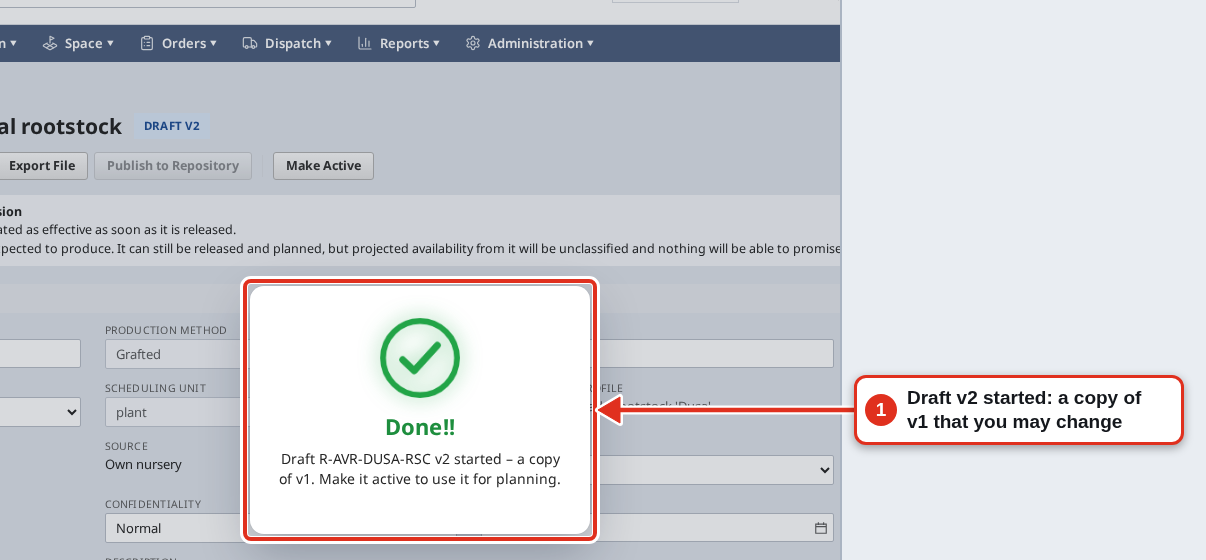
Click Unlock for editing
- 1A Done!! card says draft v2 has started as a copy of v1. If a draft already exists, Unlock simply opens it.
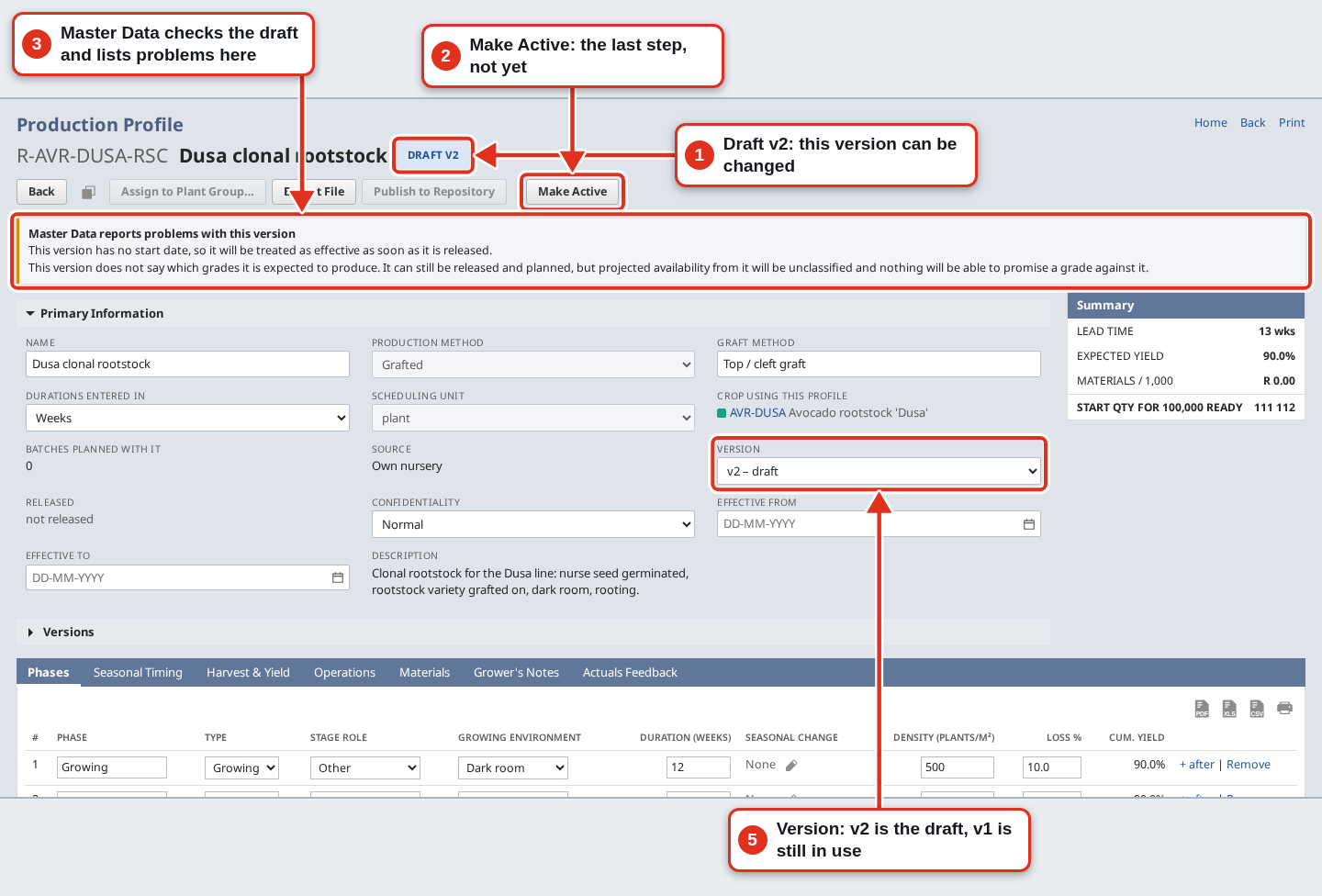
The draft
- 1Draft v2: this version can be changed.
- 2Make Active: the last step. Not yet.
- 3Master Data reports problems: OperoNMS checks the draft as you work. Red lines are errors that must be fixed; orange lines are advice only.
- 4Version: v2 is the draft, v1 is still in use.
There is no Save button. On this screen every box saves itself the moment you leave it (press Tab or Enter, or click elsewhere). “Saving…” appears next to the buttons while it works. A drop-down saves when you pick a value.
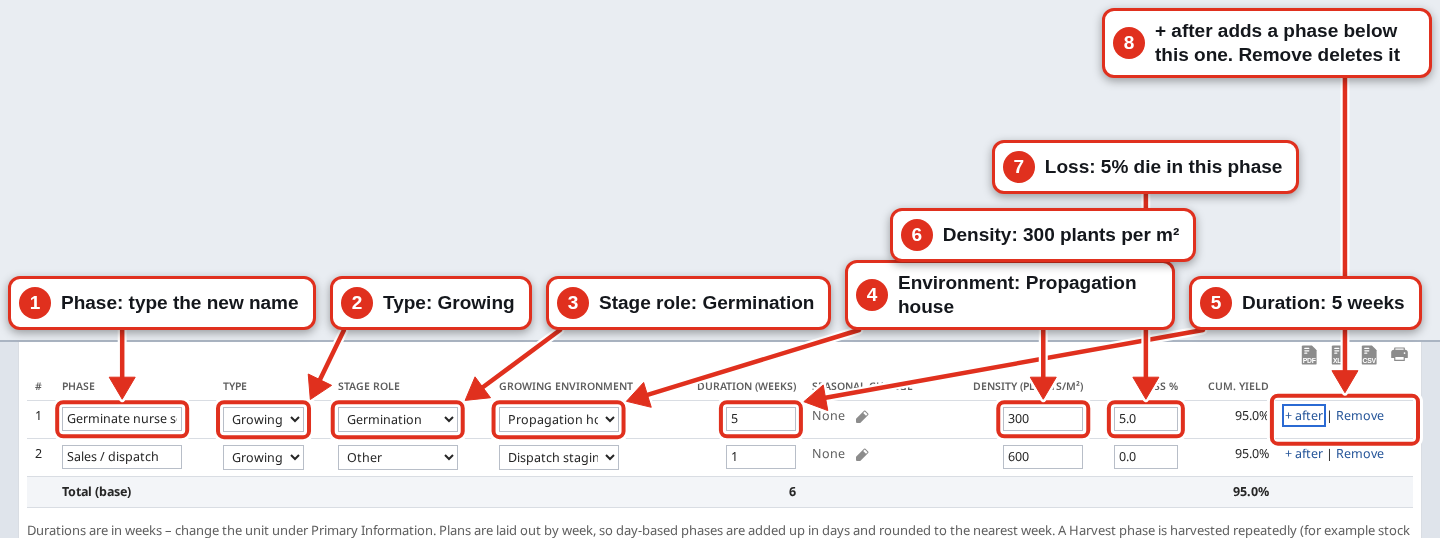
Edit the first phase
- 1Phase: type the name.
- 2Type: Growing (this one is not harvested).
- 3Stage role: Germination.
- 4Growing environment: Propagation house.
- 5Duration: 5 (weeks).
- 6Density: 300 plants per m².
- 7Loss %: 5.
- 8+ after adds a phase below this one; Remove deletes it (a profile must keep at least one phase).
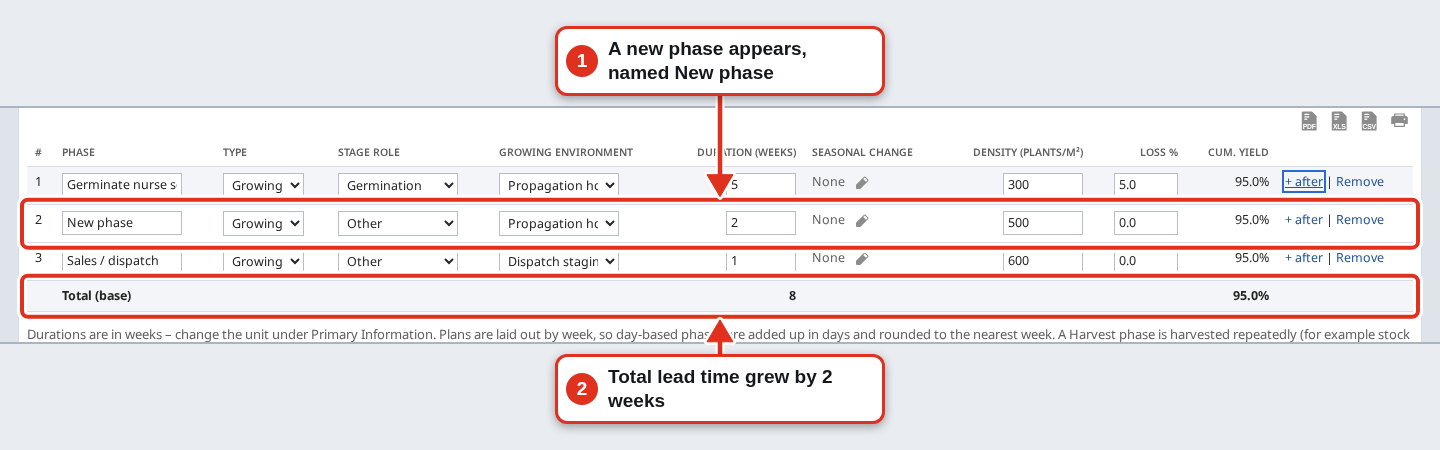
Add a phase
- 1A new phase appears named New phase: Growing, 2 weeks (14 days), density 500, loss 0%, in the same environment as the phase before. Rename it and set it up. Phase numbers renumber themselves.
- 2The total lead time grew; the yield did not, because the new phase loses nothing yet.
Repeat for the other phases. We added three phases after the first and turned the starter dispatch phase into our fifth phase.
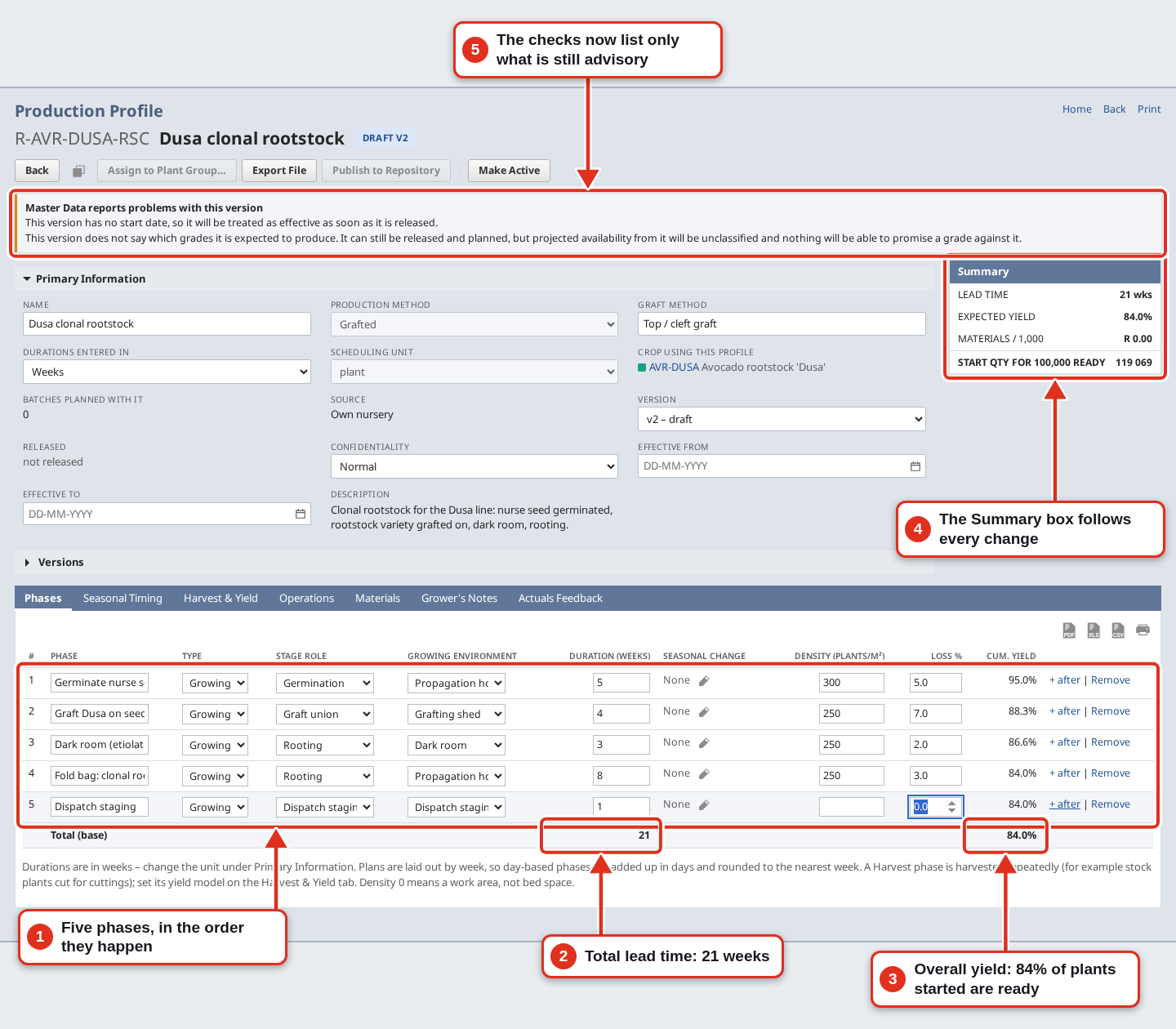
The finished recipe
- 1Five phases, in the order they happen.
- 2Total lead time: 21 weeks (5+4+3+8+1).
- 3Overall yield: 84% (95% × 93% × 98% × 97% × 100%).
- 4The Summary box follows every change. “Start qty for 100,000 ready” shows how many plants you would have to start.
- 5The checks list only advice now.
OperoNMS demo guide. Every name, code and figure in the pictures is invented for training.