Module guide: Production Profiles
Grower's Notes
Why things are done, written down where the next person will find it.
What it is
The place for what the head grower knows. It has a large notes box, two short fields and a table of instructions for each phase.
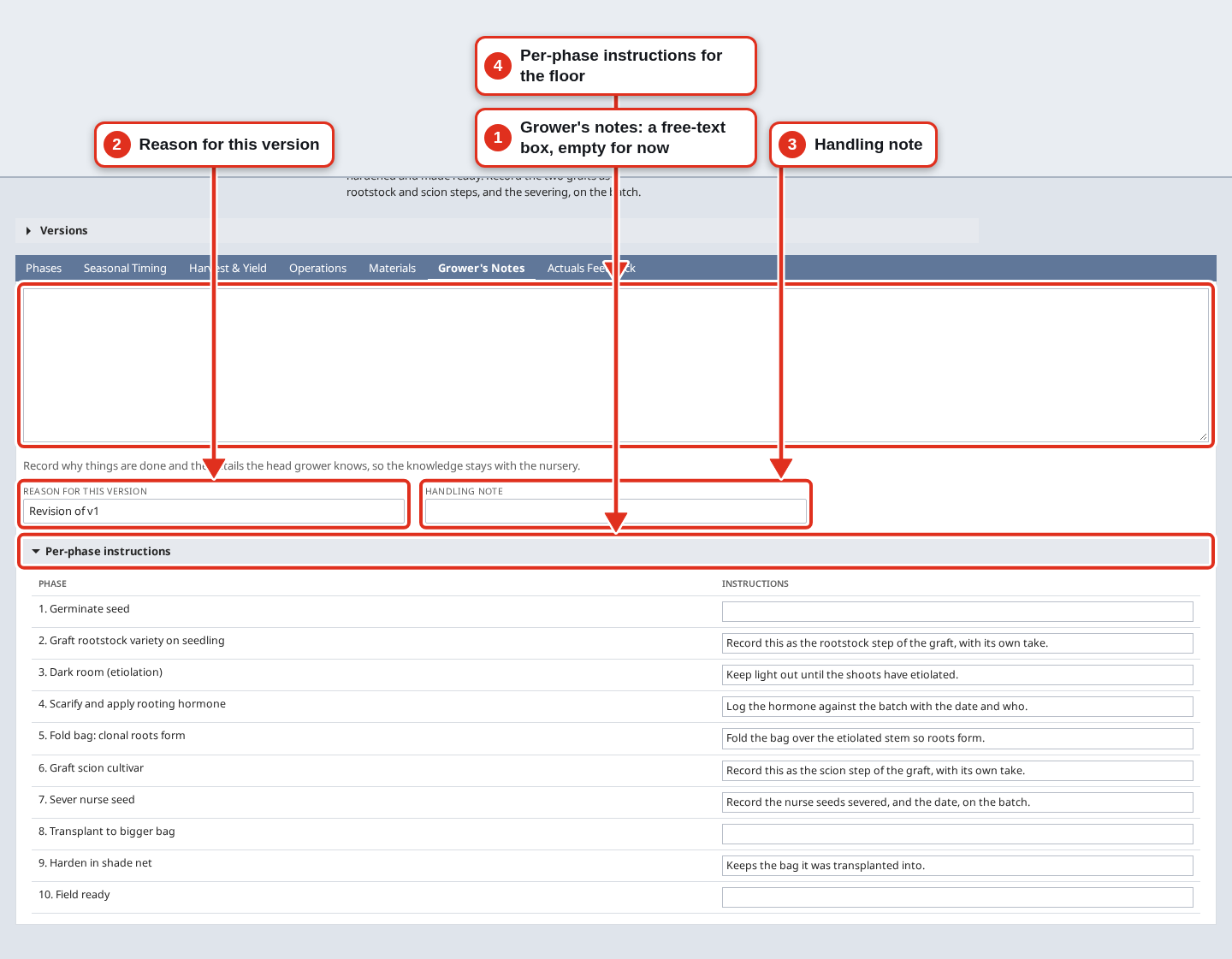
Before: nothing written yet
- 1Grower's notes: a large free-text box for the whole recipe.
- 2Reason for this version: one line saying why the version exists. It appears in the Versions list.
- 3Handling note: a warning about handling the plants or material.
- 4Per-phase instructions: one line for each phase. Our Hass profile already has seven.
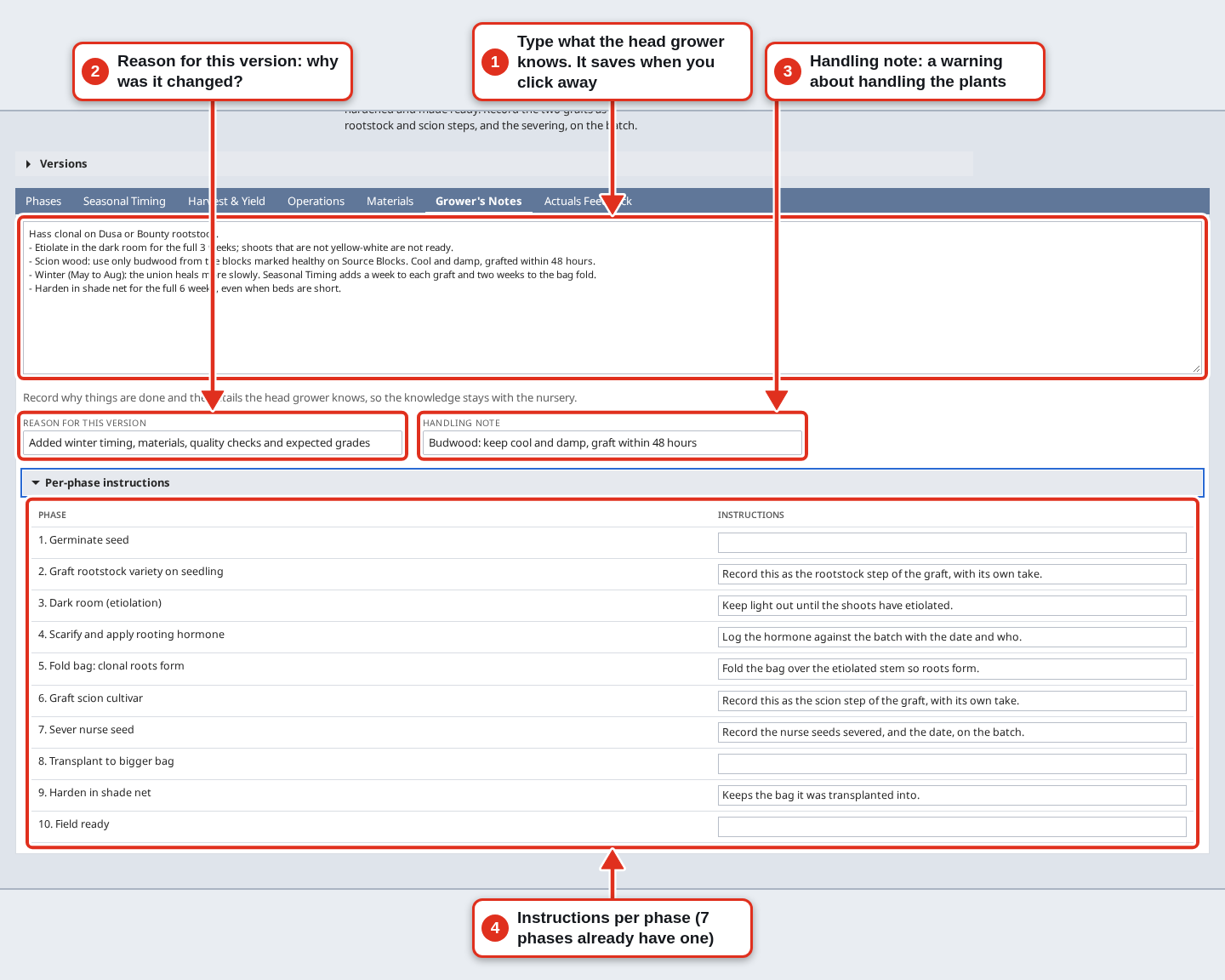
After: knowledge written down
- 1Type what matters. Notes save when you click away. Use new lines for lists.
- 2Reason: “Added winter timing, materials, quality checks and expected grades”.
- 3Handling note: “Budwood: keep cool and damp, graft within 48 hours”.
- 4Instructions for each phase, such as “Keep light out until the shoots have etiolated”.
What it is used for
- It keeps the “why” inside the profile, so the knowledge stays with the nursery when people change.
- The reason is shown in the Versions list, so anyone can see what changed and why.
- Notes, handling note and instructions are stored with the version and are copied with it into new drafts.
Good habits
- Always fill in a reason when you unlock and change a recipe.
- Write instructions as short commands a supervisor can follow.
- Keep notes factual: dates, numbers, what to do when something goes wrong.
Notes are saved with the version. On an Active version they are locked like everything else; to add a note you unlock the profile and make a new version.
Try it
OperoNMS demo guide. Every name, code and figure in the pictures is invented for training.