Module guide: Production Profiles
Phases
The heart of the recipe: every step, in order.
What it is
The Phases tab lists each step a plant goes through, from start to ready for dispatch. Everything else in the profile hangs off these rows. Total (base) at the bottom adds up the base durations and multiplies the yields.
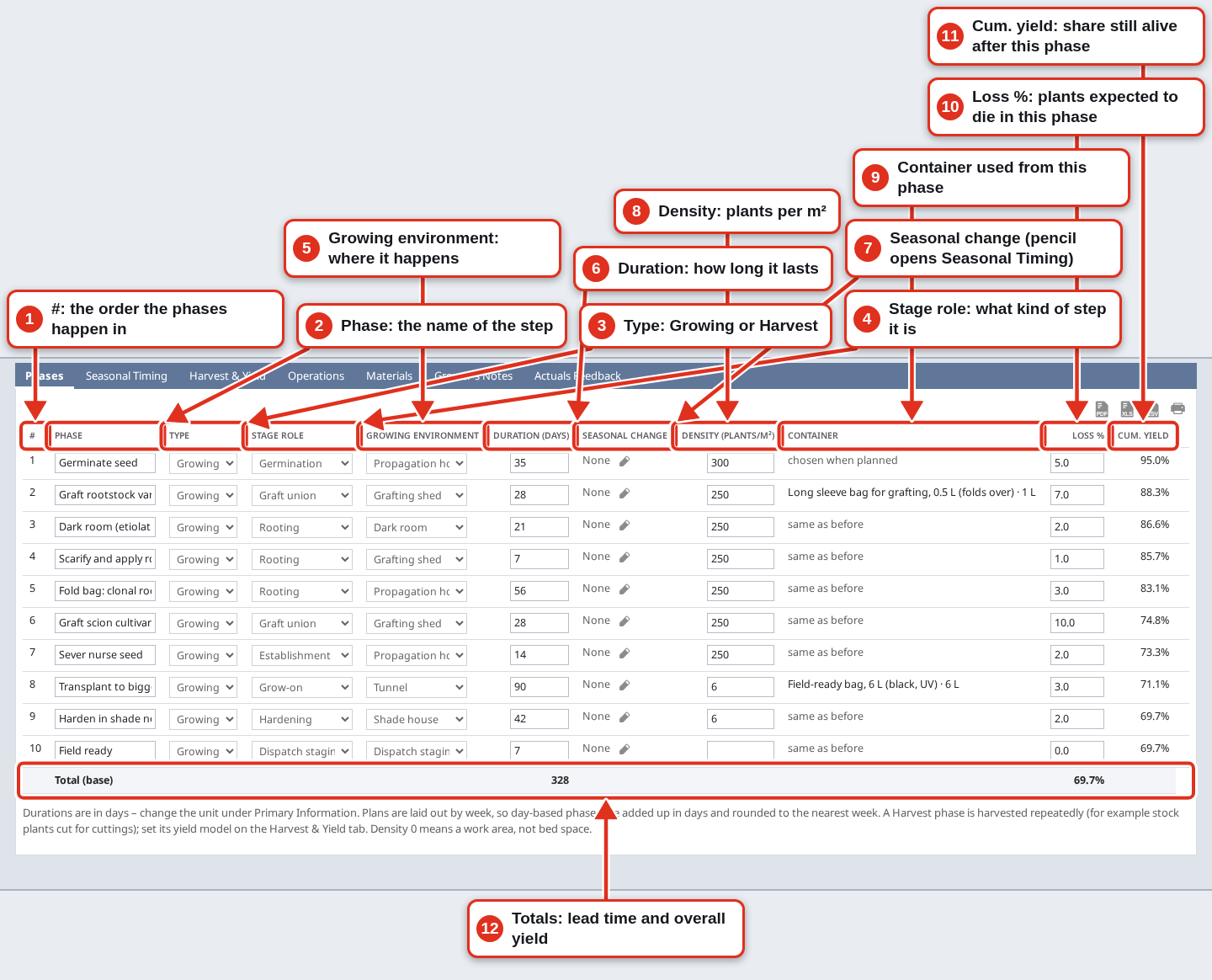
Every column of the Phases table (Hass clonal, Active version)
- 1#: the order. Numbers renumber themselves when you add or remove a phase.
- 2Phase: the name people see on the batch.
- 3Type: Growing, or Harvest for a phase that gives something every week (see Harvest & Yield).
- 4Stage role: what kind of step it is: Germination, Rooting, Graft union, Establishment, Grow-on, Hardening, Dispatch staging, Harvest or Other. Reports use it to group steps across crops.
- 5Growing environment: where the phase happens (your own list: Propagation house, Grafting shed, Dark room…). Space books beds in this environment.
- 6Duration: base length, in days or weeks.
- 7Seasonal change: a summary such as “May–Aug +7 days”; the pencil jumps to the Seasonal Timing tab.
- 8Density (plants/m²): how crowded. Planning divides plants by it to get the area. Blank means a work area that takes no bed space.
- 9Container: the bag or tray the plants grow in from this phase on. “Chosen when planned” (first phase) and “same as before” are normal. This is only shown on this screen; it is chosen by a recipe template or in the profile editor (the “Open the profile editor” link on New Production Batch).
- 10Loss %: plants you expect to lose in this phase.
- 11Cum. yield: share still alive after this phase.
- 12Totals: the sum of durations (328 days) and the overall yield (69.7%).
What matters in production
- Durations are rounded to whole weeks when planned and a phase always takes at least one week. A 7-day phase = 1 week; a 10-day one = 1 or 2 weeks, depending on the total before it.
- Loss % compounds. Ten small losses add up: Hass clonal loses 30% of plants overall. Planning starts extra plants to cover it.
- Density drives space. Too high and beds look emptier than they are; too low and the plan books more beds than needed. A blank density is for a phase like “Field ready” that happens at the dispatch yard.
- Environment must exist and be active. A missing environment is an error; a retired one is a warning.
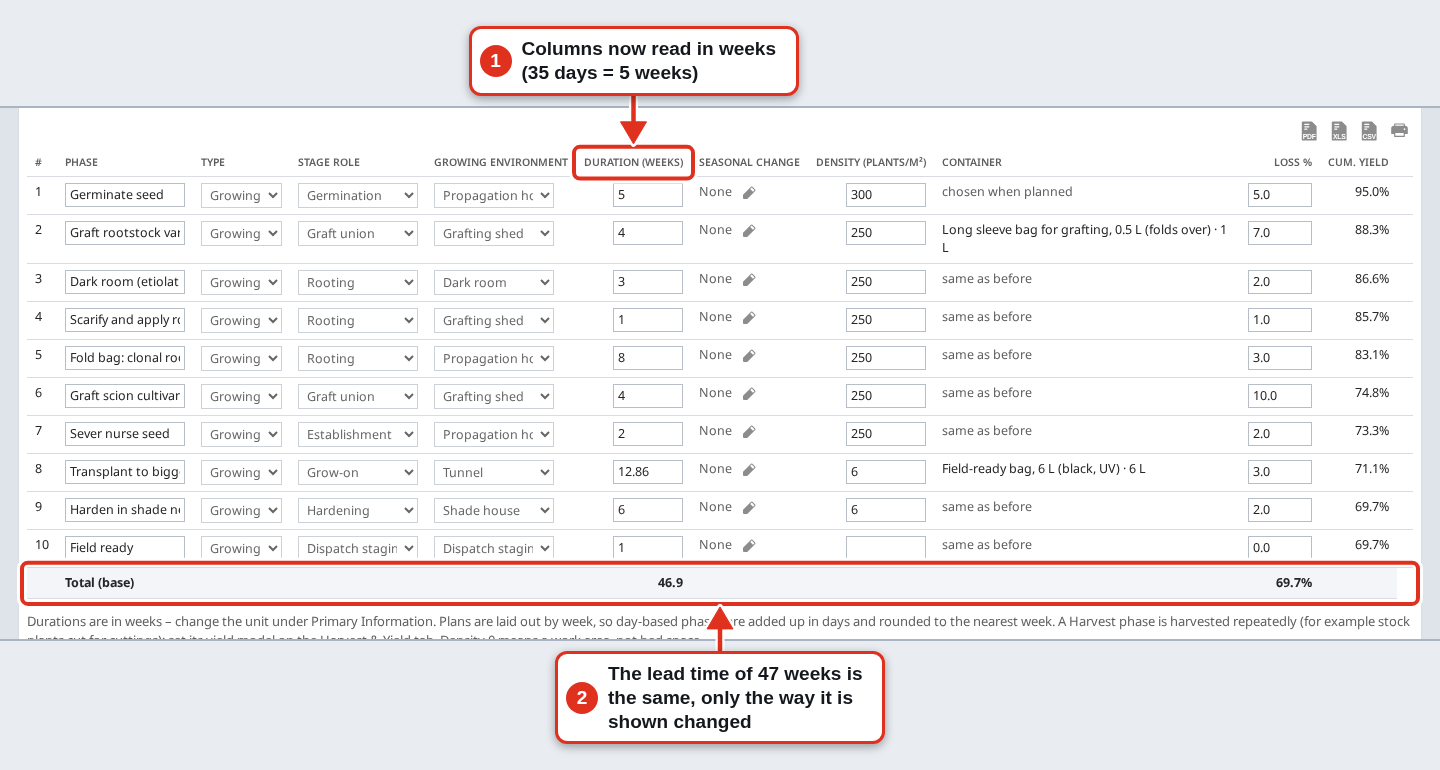
Weeks or days
- 1Switch Durations entered in to Weeks and the columns read in weeks (35 days = 5 weeks).
- 2The total lead time is the same; only the display changed.
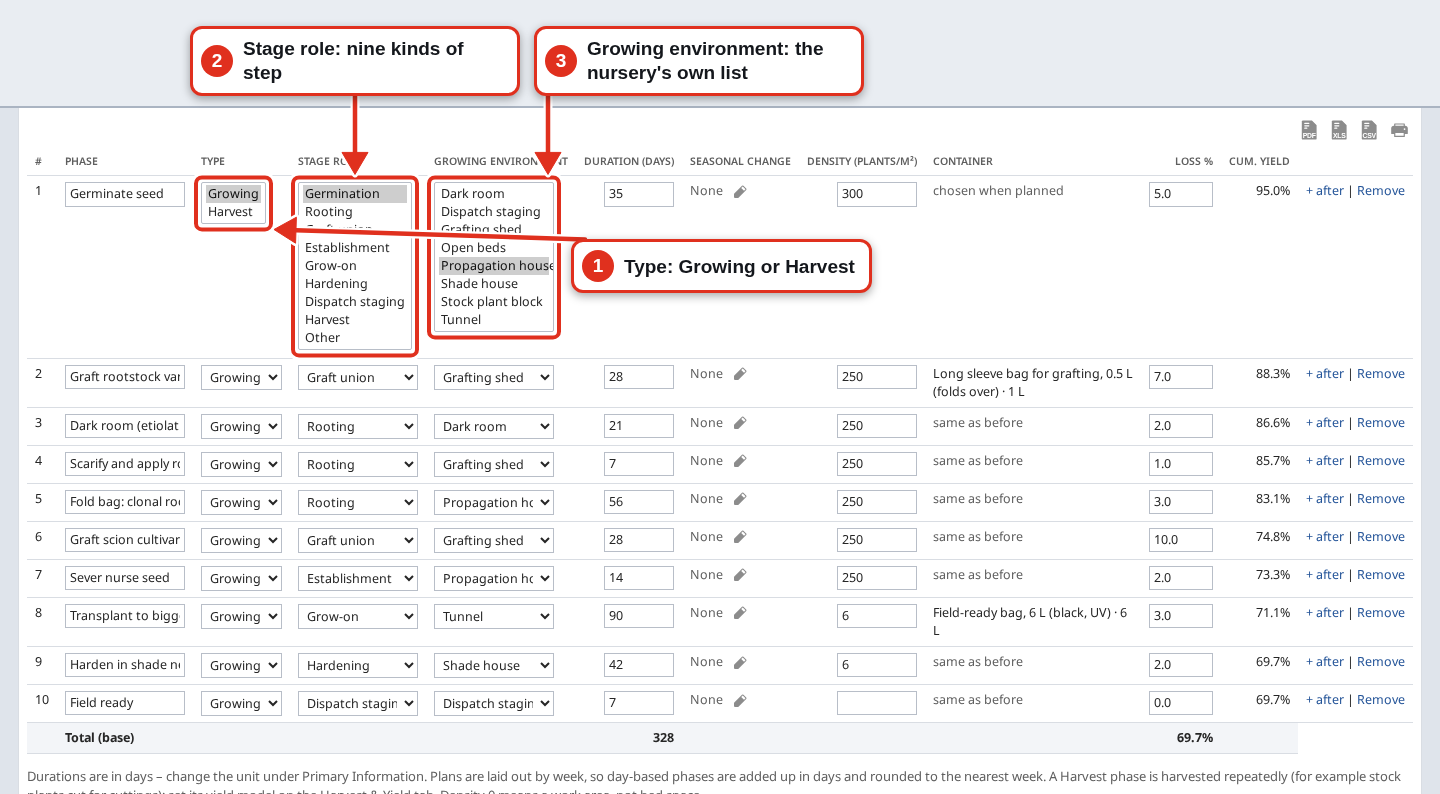
The drop-down lists
- 1Type: Growing or Harvest.
- 2Stage role: the nine kinds of step.
- 3Growing environment: the nursery's own list of environments.
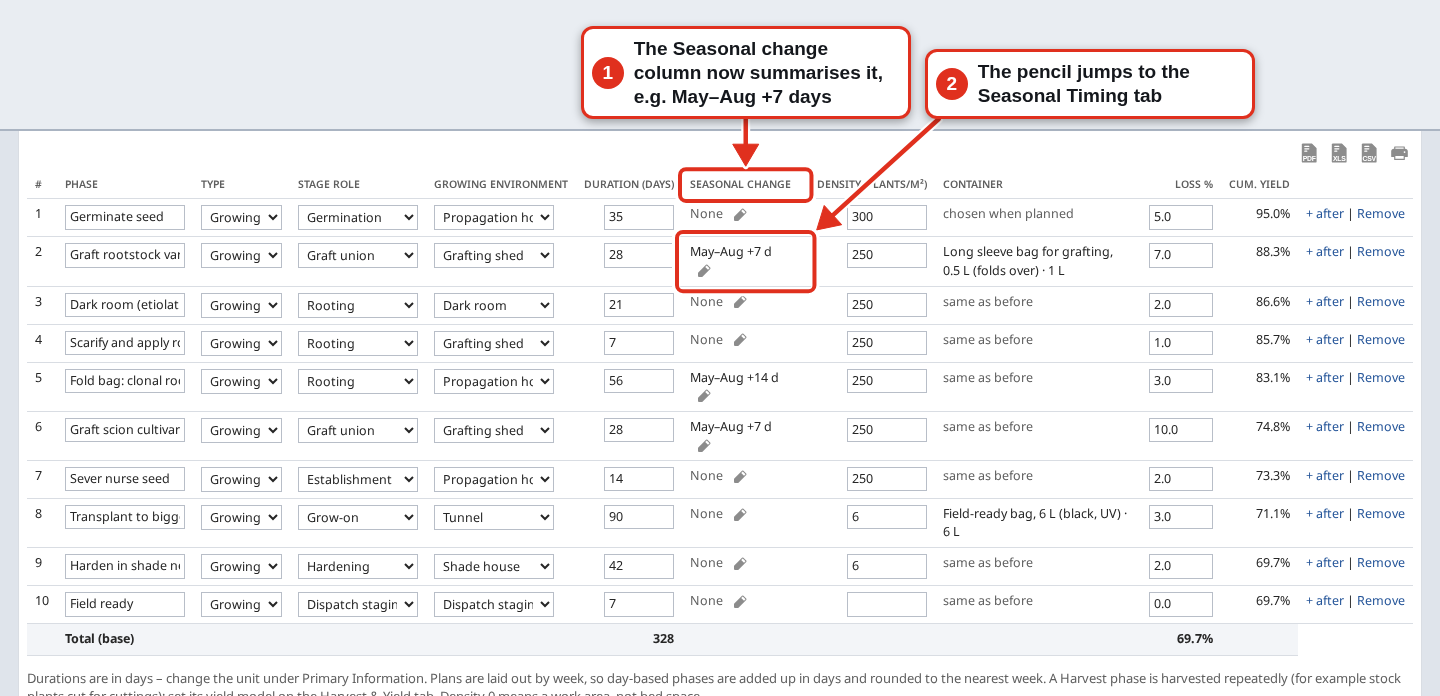
Seasonal change on the Phases tab
- 1After seasonal changes are entered, this column summarises them for each phase.
- 2The pencil jumps to the Seasonal Timing tab.
Common mistakes
- Entering a duration in weeks when the screen is set to days (or the other way round). Check the column heading: Duration (days) or (weeks).
- Forgetting that a loss of 50% or more only produces advice: check it is not a typing slip.
- Leaving the last phase with a density: the dispatch step then books bed space it does not need.
- Making two Harvest phases: a recipe may hold only one.
Try it
OperoNMS demo guide. Every name, code and figure in the pictures is invented for training.