Harvest & Yield
For recipes that harvest something every week, and for the grades you expect.
What it is
This tab has two parts. Yield models describe a Harvest phase, such as mother trees that are cut for budwood every week. Expected grade mix says what share of your plants should come out as Grade A, B or cull. Our Hass clonal profile has no Harvest phase, so it shows only the grade mix:
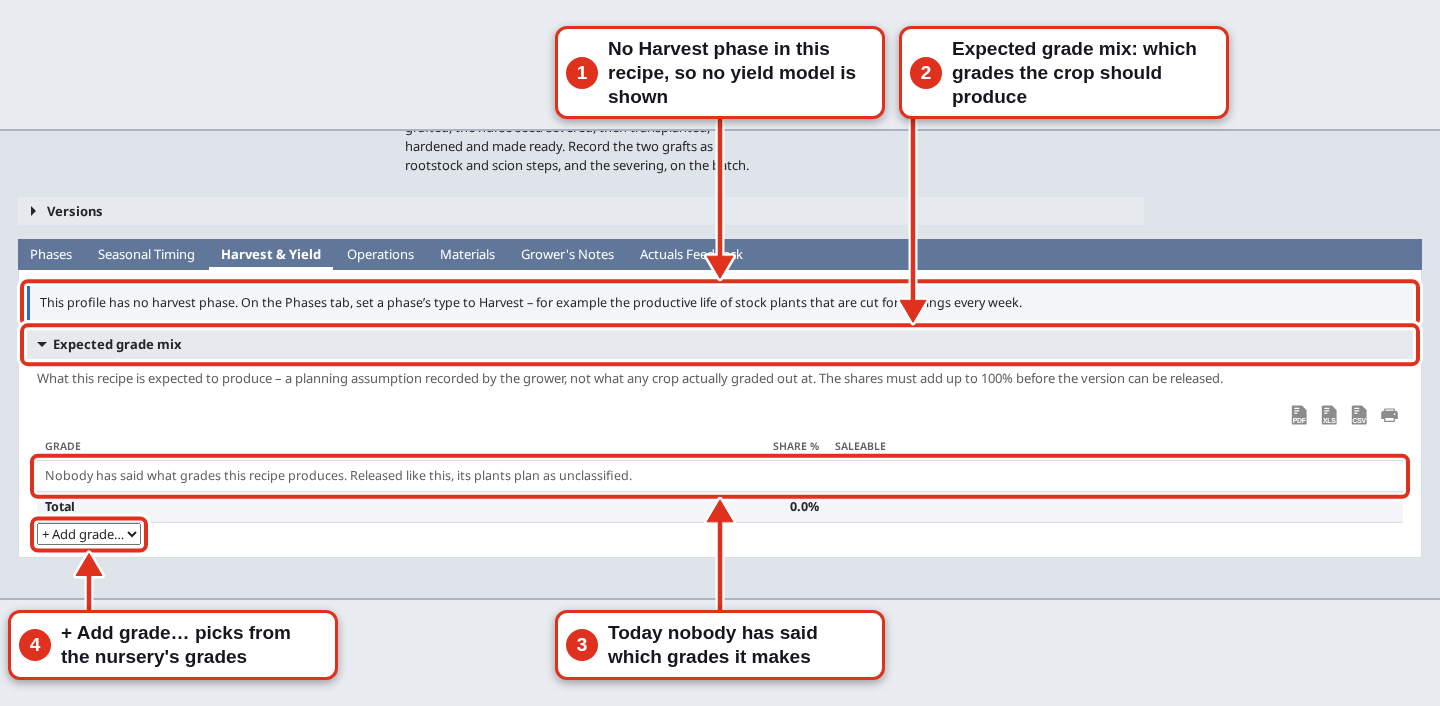
- 1The note: this profile has no Harvest phase. To make one, set a phase's Type to Harvest on the Phases tab.
- 2Expected grade mix: the grades the crop should produce.
- 3Until somebody fills it in, plants plan as unclassified.
- 4+ Add grade… lists the nursery's grades.
Part A · The yield model (a Harvest phase)
We show it on a different profile: R-AVO-HASS-BUD, Hass budwood mother trees (method Stock plants). Its second phase is a Harvest phase.
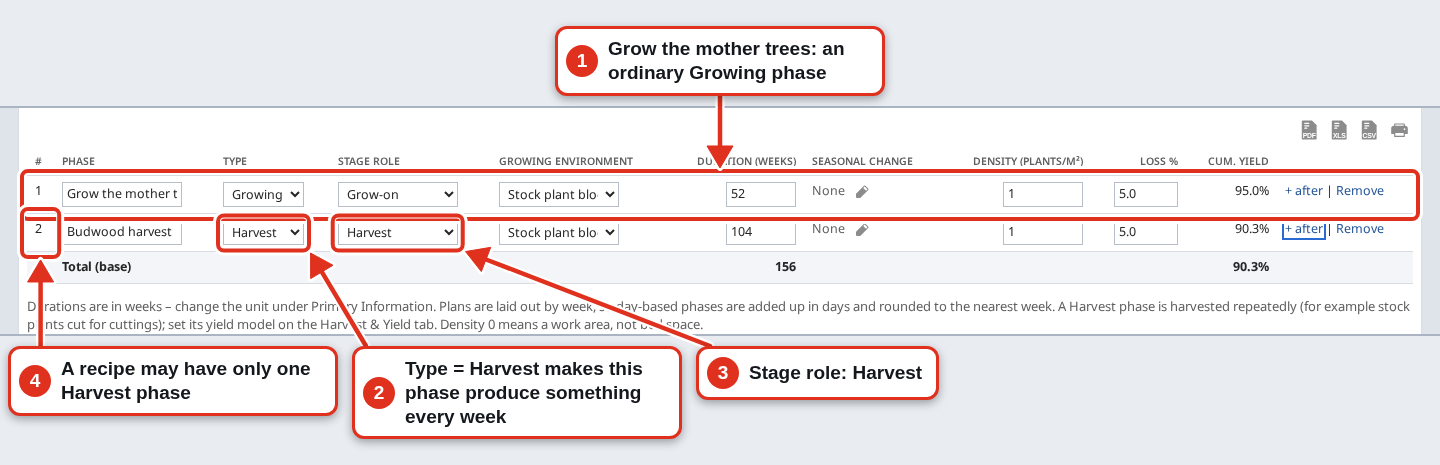
- 1Grow the mother trees: an ordinary Growing phase (52 weeks) while the trees get established.
- 2Type = Harvest: the phase now gives something every week. OperoNMS adds a starting yield model.
- 3Stage role: Harvest.
- 4A recipe may hold only one Harvest phase.
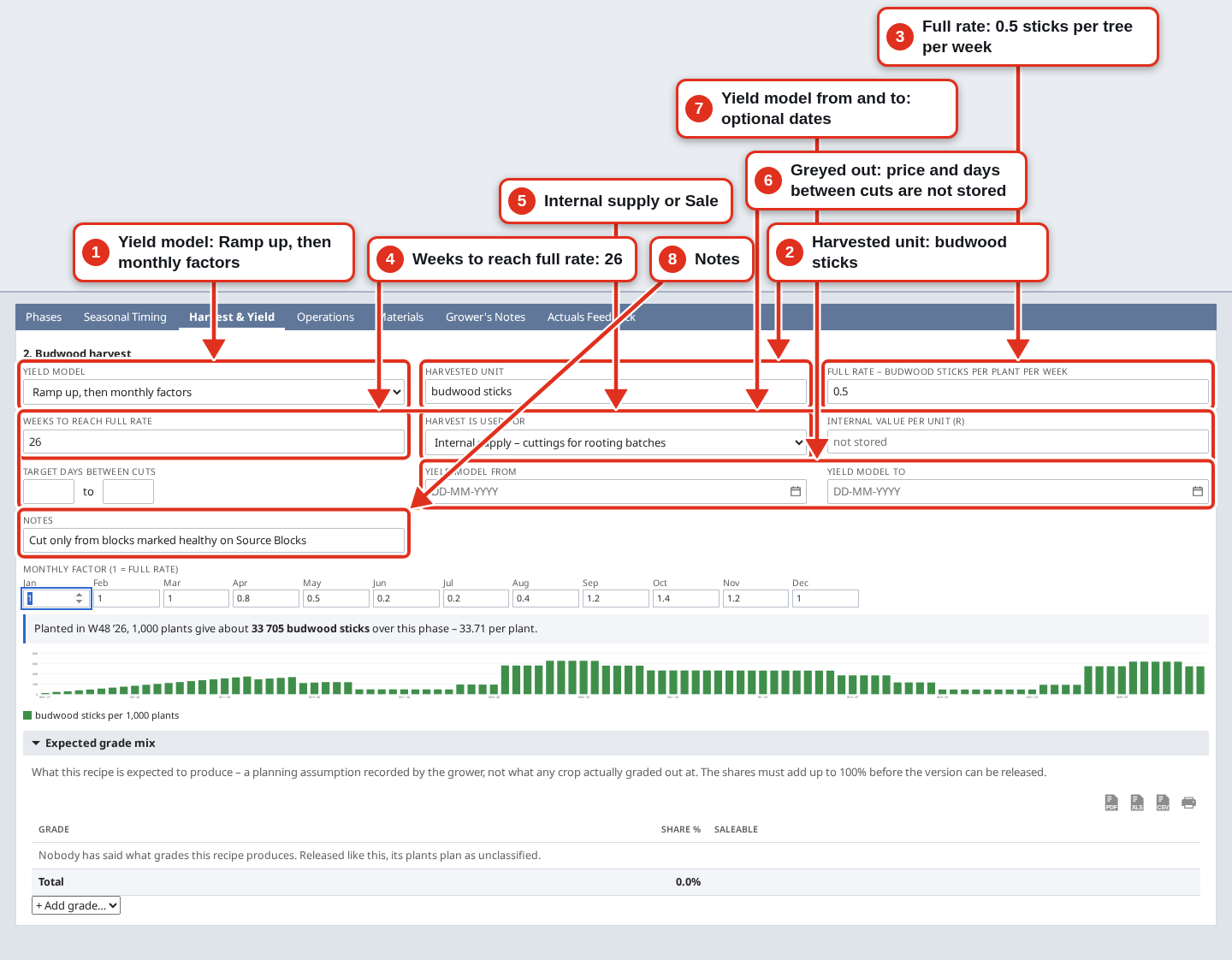
- 1Yield model: Constant rate (same every week), Ramp up to full rate (weeks to reach full output), or Ramp up, then monthly factors (with seasons).
- 2Harvested unit: what is counted, up to 40 characters (here budwood sticks).
- 3Full rate: units per plant per week at full output: 0.5 sticks per tree per week.
- 4Weeks to reach full rate: 26 weeks for young trees to reach full output. It must not be longer than the phase itself.
- 5Harvest is used for: Internal supply (cuttings for your own rooting batches) or Sale (adds to turnover).
- 6Greyed out: price and target days between cuts are not stored by this system. Prices are kept on price lists.
- 7Yield model from / to: optional dates the model applies.
- 8Notes: free text.
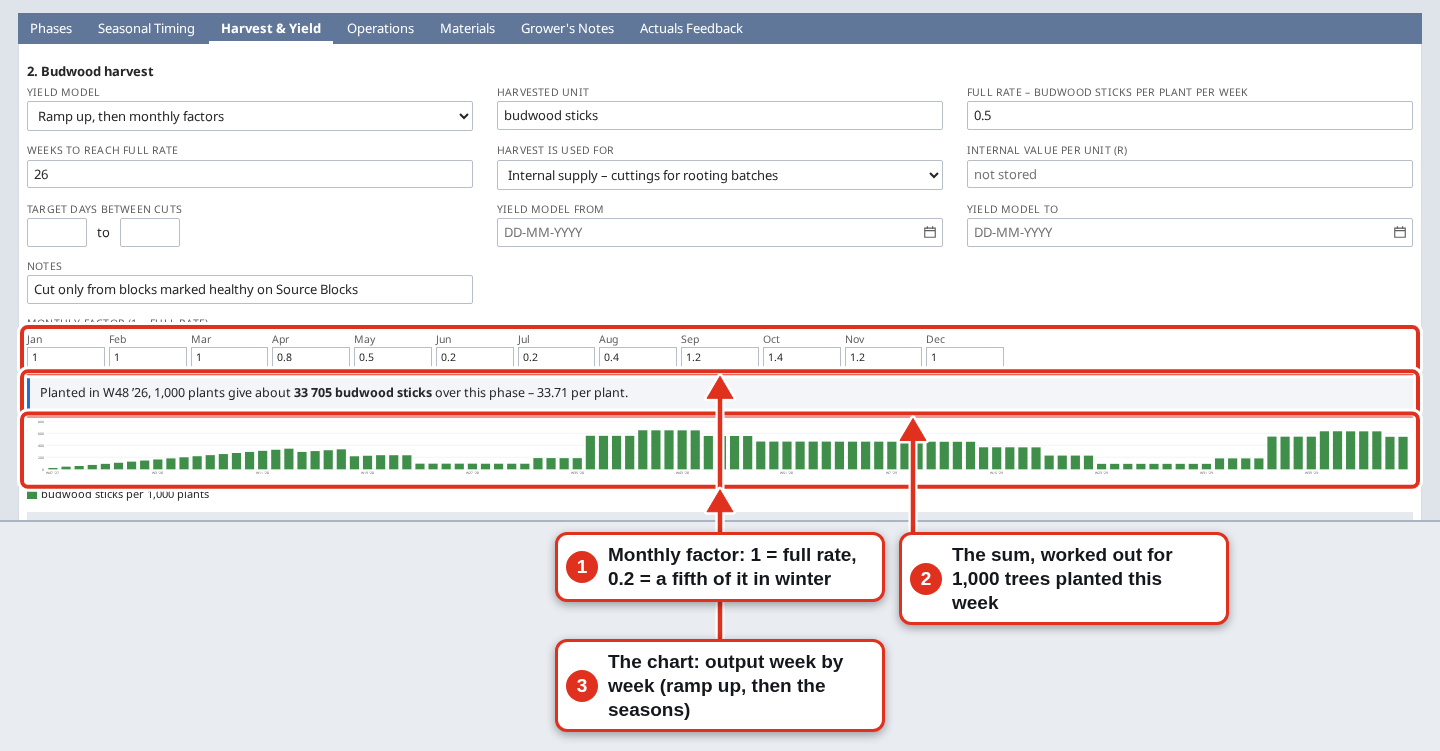
- 1Monthly factor: 1 = full rate, 0.2 = a fifth of it. Winter (Jun, Jul) is 0.2; the spring flush (Sep to Nov) is 1.2 to 1.4. All twelve months are needed, and they must not all be zero.
- 2A worked answer: planted this week, 1,000 trees give about 33 705 budwood sticks over the phase (33.71 per tree).
- 3The chart shows output week by week: it climbs during the ramp up and then follows the seasons.
Part B · Expected grade mix
A planning assumption you write down, not a measurement. Each grade gets a share; the shares must add up to exactly 100% before the version can be made Active. OperoNMS never rescales them for you.
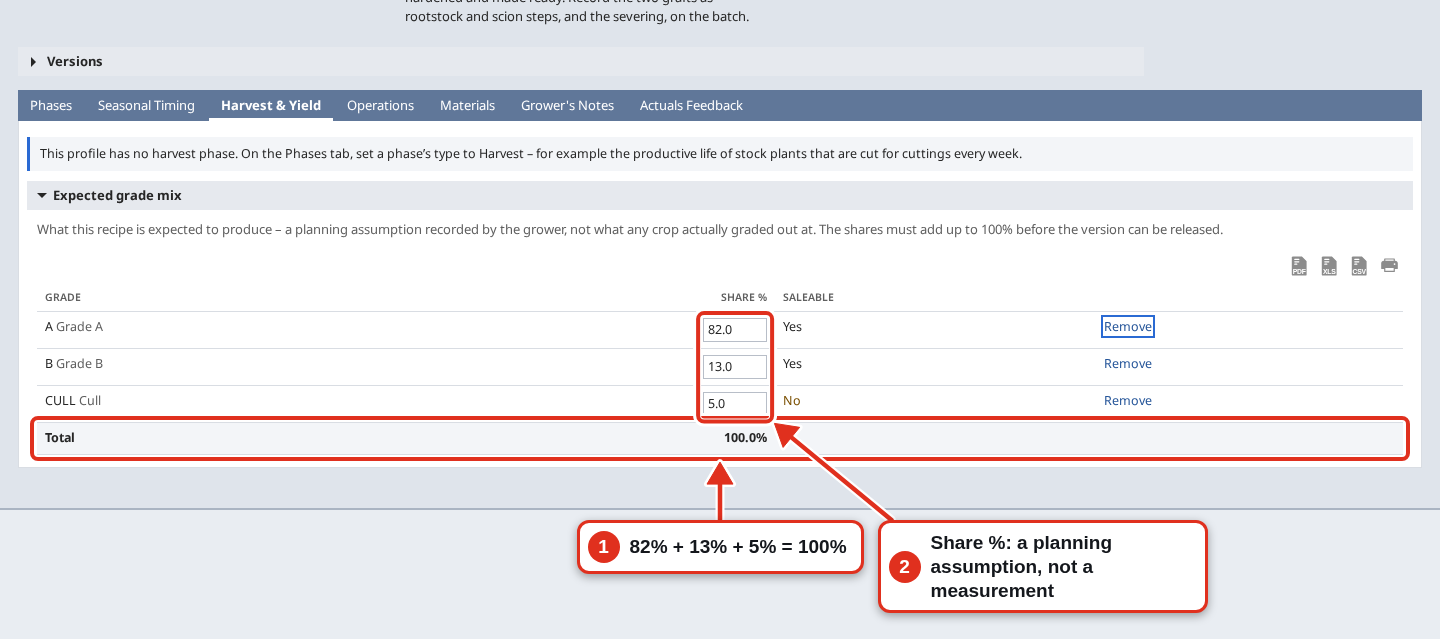
- 182% + 13% + 5% = 100%.
- 2Share %: what you expect. Saleable (Yes / No) comes from the grade itself: Cull is not saleable.
Whenever the Total is not 100%, it turns red with a message, and Make Active is refused until the shares add up.
How it is used
- The weekly output of a Harvest phase is what Planning can offer as supply (for example budwood or cuttings for rooting batches).
- The grade mix tells Planning and Sales how many of the ready plants will be in each grade, so availability can promise a grade. Without a mix, availability is “unclassified”.
- Expected yield in the Summary box comes from the phases' losses, not from this tab.
Common mistakes
- Setting the weeks to full rate longer than the phase itself (error).
- Leaving all twelve monthly factors at zero or leaving one blank (error).
- A share that is typed as 0.82 instead of 82. The boxes are in percent.
- Expecting a price here: prices come from price lists.
Try it
OperoNMS demo guide. Every name, code and figure in the pictures is invented for training.