Module guide: Production Profiles
Primary Information, field by field
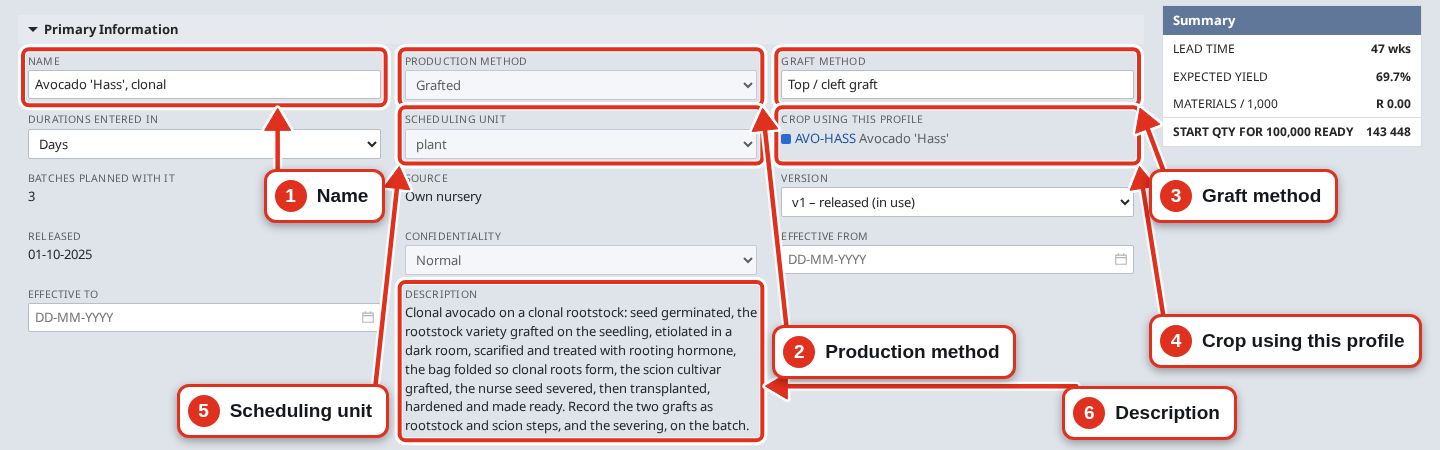
The identity of the profile
- 1Name: fixed once created (there is no way to rename a profile).
- 2Production method: fixed once created.
- 3Graft method: shown only for Grafted. Fixed once created.
- 4Crop using this profile: click to open the crop.
- 5Scheduling unit: always “plant”. Planning schedules every profile plant by plant.
- 6Description: the text typed on the form.
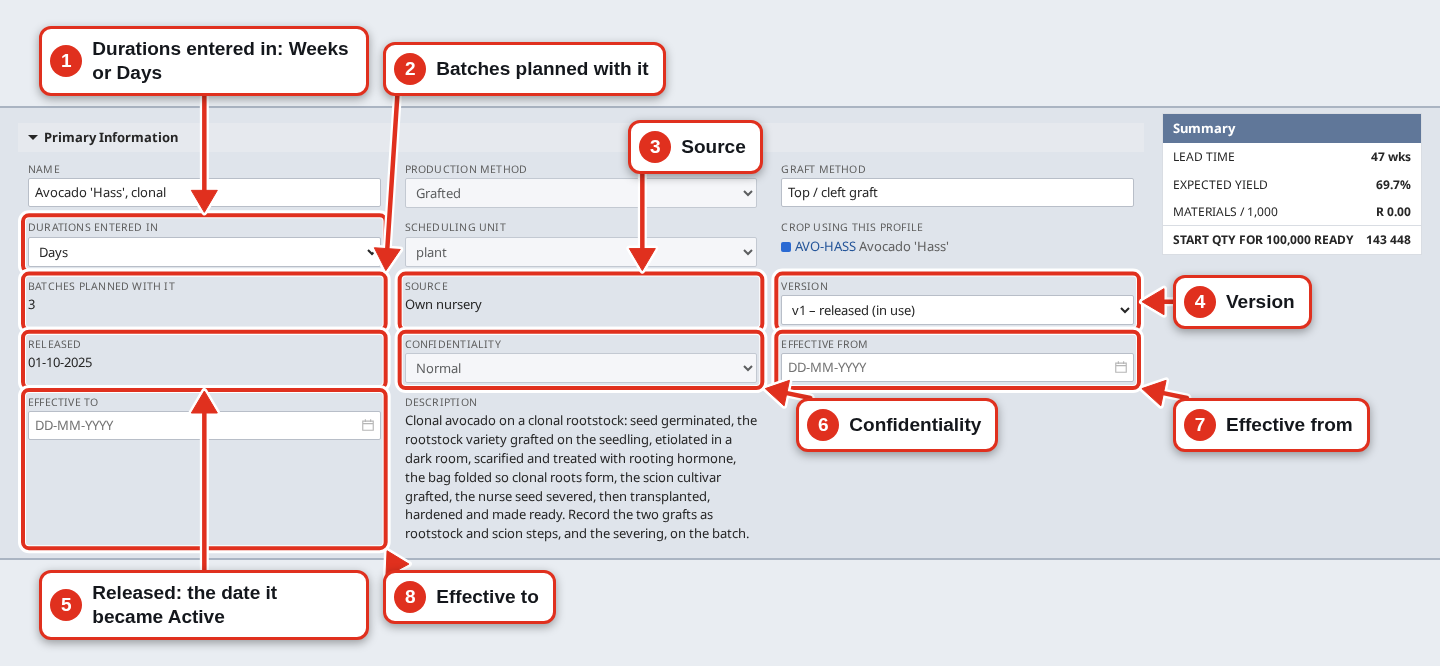
Version and rules
- 1Durations entered in: Weeks or Days. This only changes how durations are shown and typed on this screen, in this browser. Stored values are always days.
- 2Batches planned with it: how many batches Planning has made from this profile.
- 3Source: “Own nursery”, or “Copied from v1” on a draft copied from a version.
- 4Version: pick any version to look at it. “(in use)” marks the Active one.
- 5Released: the date the version became Active; “not released” for a draft.
- 6Confidentiality: Normal or Restricted. Editable on a draft only.
- 7Effective from: the first date the version is meant to apply. Blank means “as soon as it is released”; OperoNMS gives advice (a warning) when it is blank.
- 8Effective to: optional last date. It must be after Effective from, or Make Active is refused.
Dates on the screen use DD-MM-YYYY. You can type them or use the calendar button.
OperoNMS demo guide. Every name, code and figure in the pictures is invented for training.