Module guide: Production Profiles
Step 4 · Create it: it is Active at once
Click Create Profile and look at what OperoNMS builds for you.
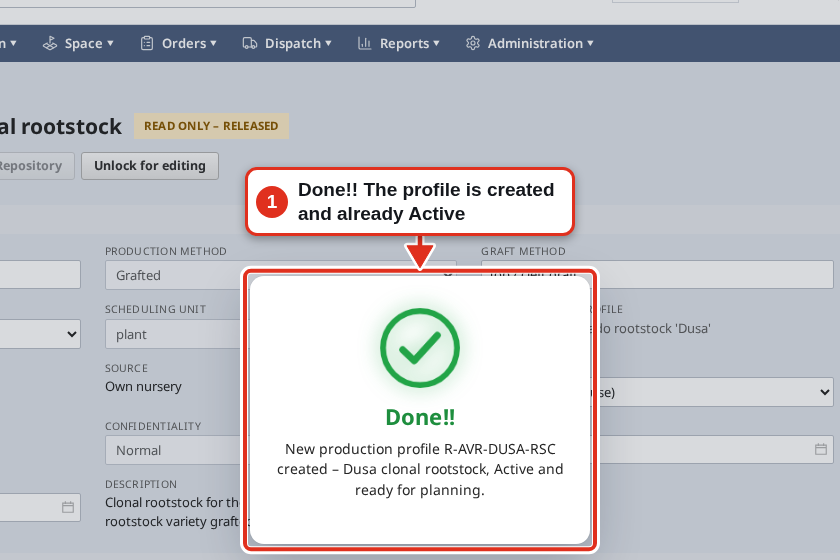
The “Done!!” card
- 1The green tick card says the profile is created, Active and ready for planning. It closes by itself, or click it.
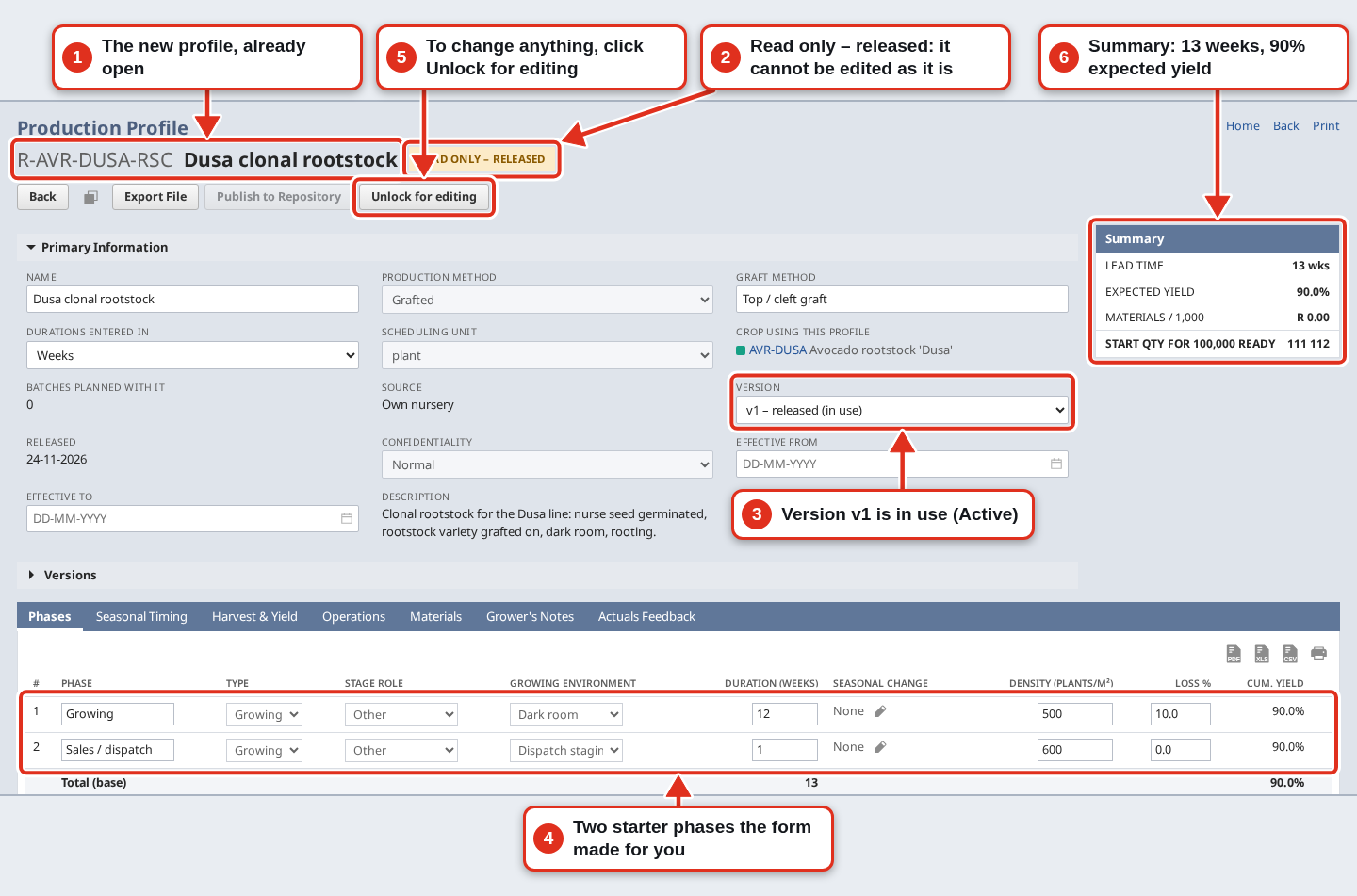
The new profile, as it opens
- 1The profile opens at once.
- 2Read only – released: this version is Active, so its boxes are locked.
- 3Version v1 is “released (in use)”.
- 4Two starter phases were made for you: Growing (12 weeks, 500 plants/m², 10% loss) and Sales / dispatch (1 week, 600 plants/m²). They use your own growing environments.
- 5To change anything you must click Unlock for editing (next step).
- 6The Summary: lead time 13 weeks, expected yield 90%.
No separate release step. A new profile does not wait for review or release. It is Active immediately. That is why we immediately make a draft to edit: Active versions never change.
OperoNMS demo guide. Every name, code and figure in the pictures is invented for training.