Module guide: Production Profiles
Operations
What is done in each phase, and when. Plus the quality checks.
What it is
One block per phase, showing its growing environment. Each block lists the operations (jobs) for that phase and, underneath, its quality checks.
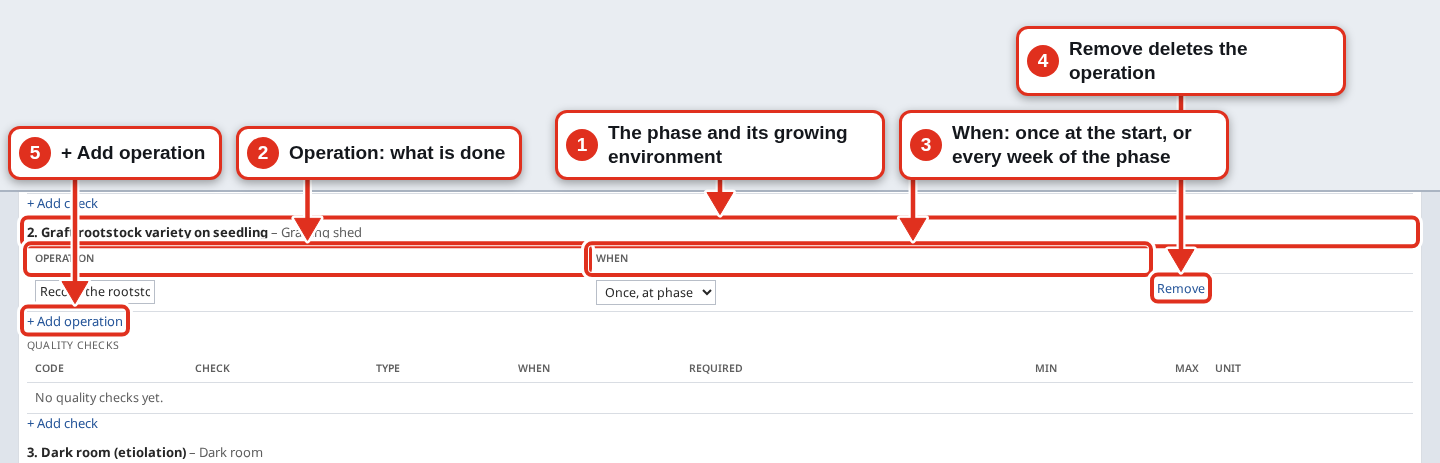
The operations of one phase
- 1The phase and its environment.
- 2Operation: what is done, for example “Record the rootstock graft and its take”.
- 3When: Once, at phase start or Every week of phase.
- 4Remove deletes the operation (draft only).
- 5+ Add operation adds a new line named “New operation”.
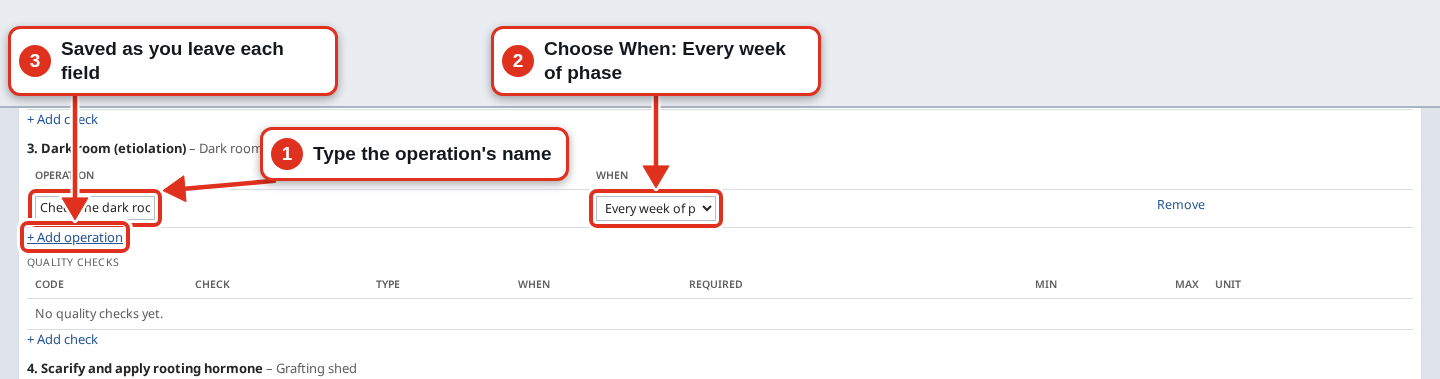
Adding an operation
- 1Type the operation's name.
- 2Choose When: here “Every week of phase” for a weekly dark-room check.
- 3+ Add operation again for more.
Quality checks
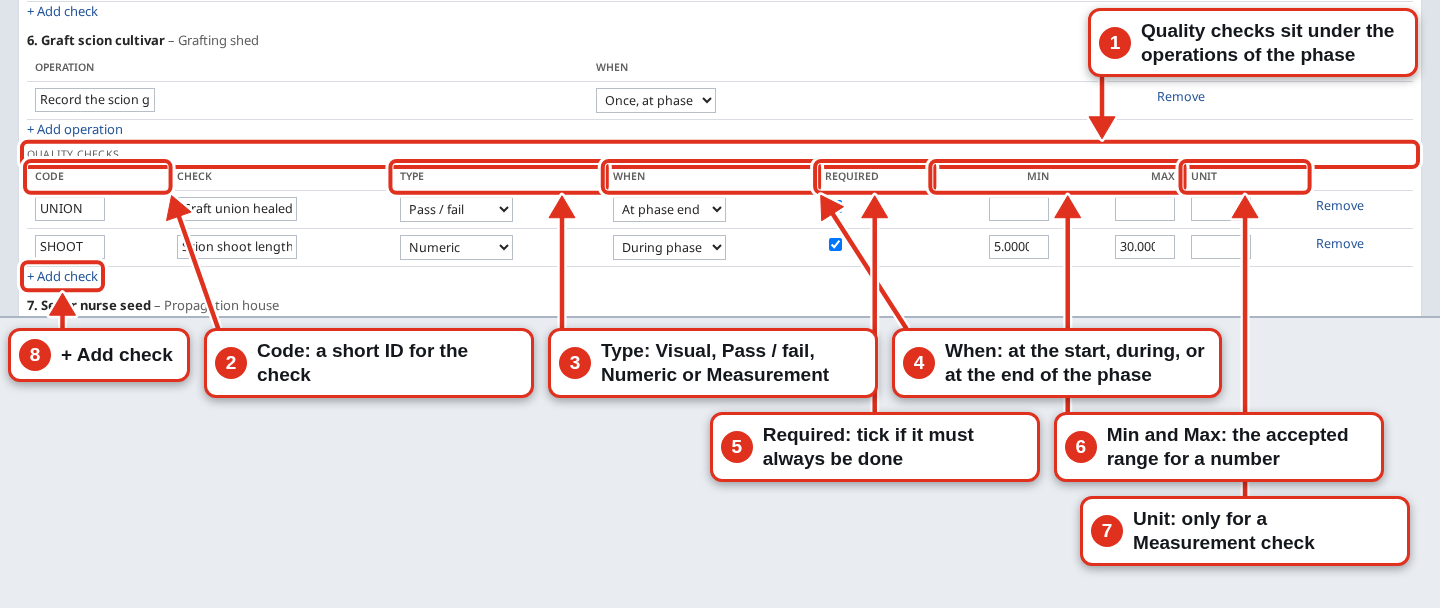
Quality checks under a phase
- 1Quality checks sit under the operations of the phase.
- 2Code: a short ID, unique within the phase.
- 3Type: Visual, Pass / fail, Numeric or Measurement.
- 4When: at phase start, during the phase, or at phase end.
- 5Required: tick if it must always be done.
- 6Min / Max: the accepted range, for Numeric and Measurement checks only.
- 7Unit: needed for a Measurement check.
- 8+ Add check adds a line (code QC1, QC2…, named “New check”).
Measurement checks need a unit. A Measurement check must have a unit (for example mm), and any other type of check must not have one. For a simple range check you can also use Numeric with min and max, and put the unit in the name, as in “Scion shoot length (mm)”.
What it means and how it is used
- Operations and quality checks are part of the recipe and are copied into the plan made from it, so the record shows what was expected in each phase.
- Hass clonal has four operations, each “once at phase start”: the two graft records, the rooting hormone and the nurse seed severing. They remind the team what to record on the batch (grafting rounds, inputs, severing).
- Operations do not change dates or quantities. Durations, losses and density do that.
Common mistakes
- Writing an operation that is really a phase (something that takes weeks). Make it a phase instead.
- Choosing “Every week” for a one-off job.
- Giving two checks in the same phase the same code or position.
- A numeric check with no range gives advice: it records a number that nobody can judge.
Try it
OperoNMS demo guide. Every name, code and figure in the pictures is invented for training.