Module guide: Production Profiles
Step 7 · What happens next
Your profile is now the recipe that planning uses.
How a batch picks up a recipe depends on the production method:
- Seed, Cutting, Plugs, Transplant: open New Production Batch, choose the nursery and crop, and the Production method list offers the Active profiles for that crop. Planning then calculates from it.
- Grafted: a grafted recipe is not offered on New Production Batch. It is attached to a combination under Production → Grafting, and batches are made with Create a Graft or Create Rootstock, which plan the rootstock and the grafted tree together.
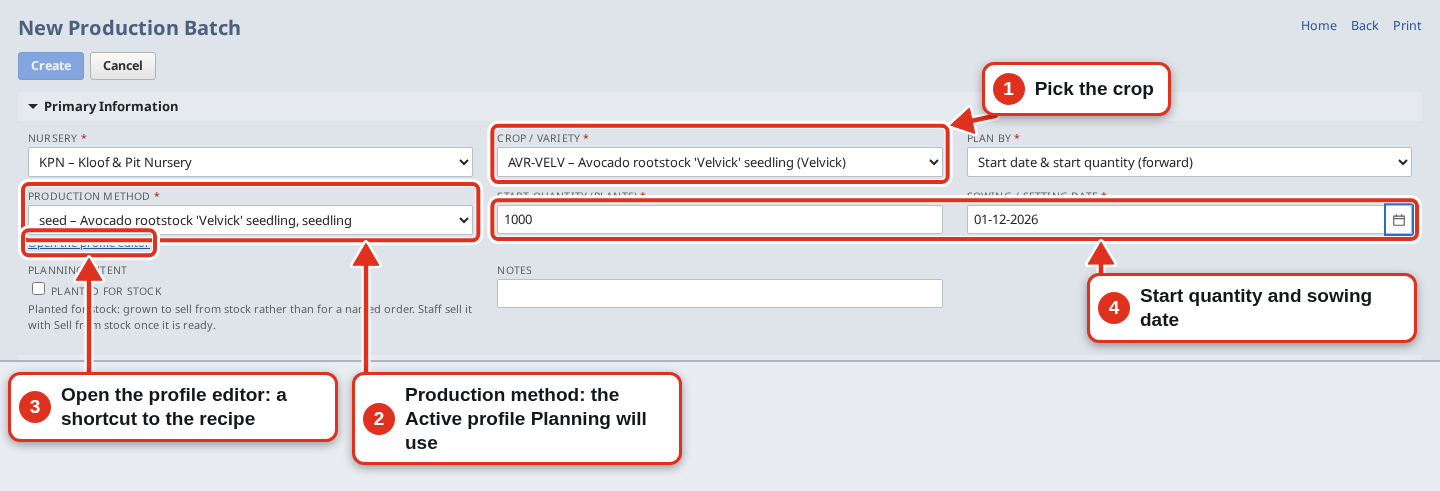
New Production Batch: the Production method is a profile
- 1Pick the crop.
- 2Production method: the Active profile Planning will use (here the Velvick seedling profile).
- 3Open the profile editor: a shortcut to the recipe's edit screen.
- 4Start quantity and sowing date.
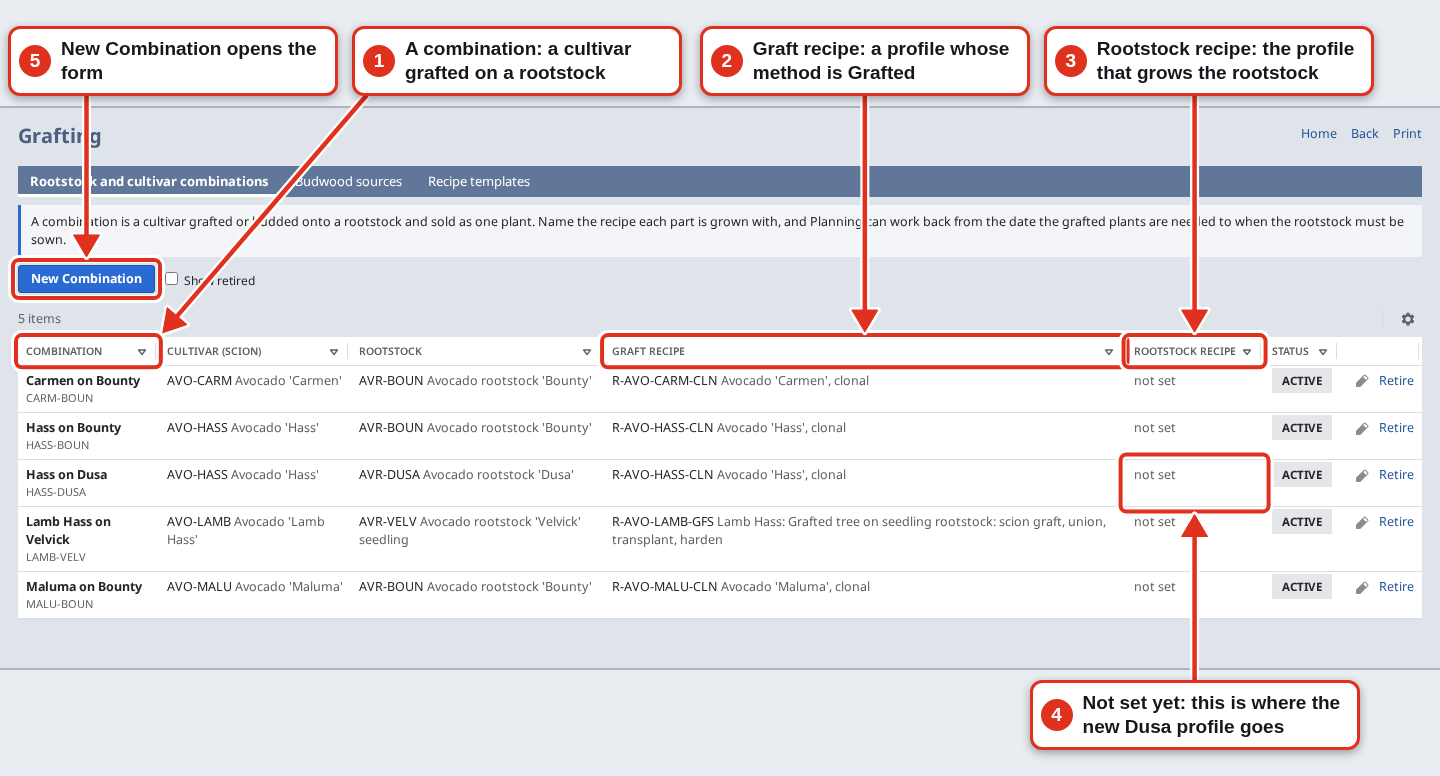
Grafting combinations name the recipes
- 1A combination is a cultivar grafted on a rootstock, sold as one plant.
- 2Graft recipe: a profile whose method is Grafted.
- 3Rootstock recipe: the profile that grows the rootstock.
- 4Hass on Dusa has no rootstock recipe yet: this is where the new Dusa profile belongs.
- 5New Combination opens the form.
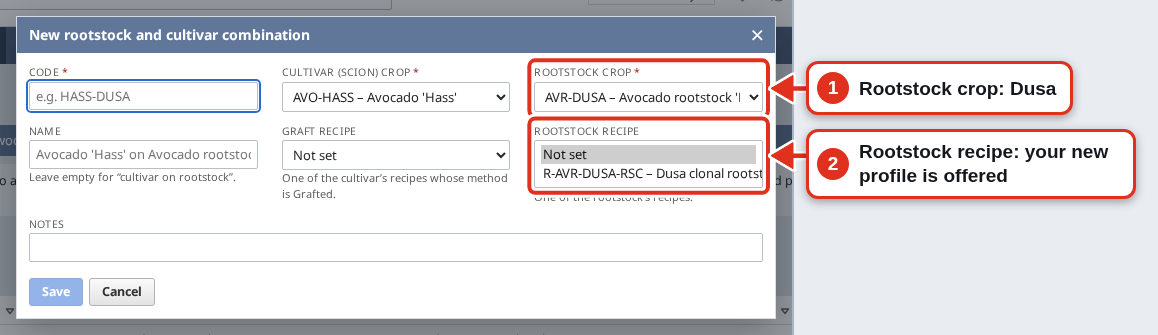
The new profile is offered as the rootstock recipe
- 1Choose the rootstock crop: Dusa.
- 2Rootstock recipe: R-AVR-DUSA-RSC – Dusa clonal rootstock is offered.
From then on, Planning works back from the date the grafted plants are needed to the day the rootstock must be sown, using your two recipes.
OperoNMS demo guide. Every name, code and figure in the pictures is invented for training.