Module guide: Production Profiles
Actuals Feedback
Planned against actual: how the profile should be improved.
What it is
A table with one row per phase: the planned loss and planned duration from the recipe, next to the actual average loss and actual average duration from finished batches, with the number of observations. Its job is to show the evidence for changing the recipe.
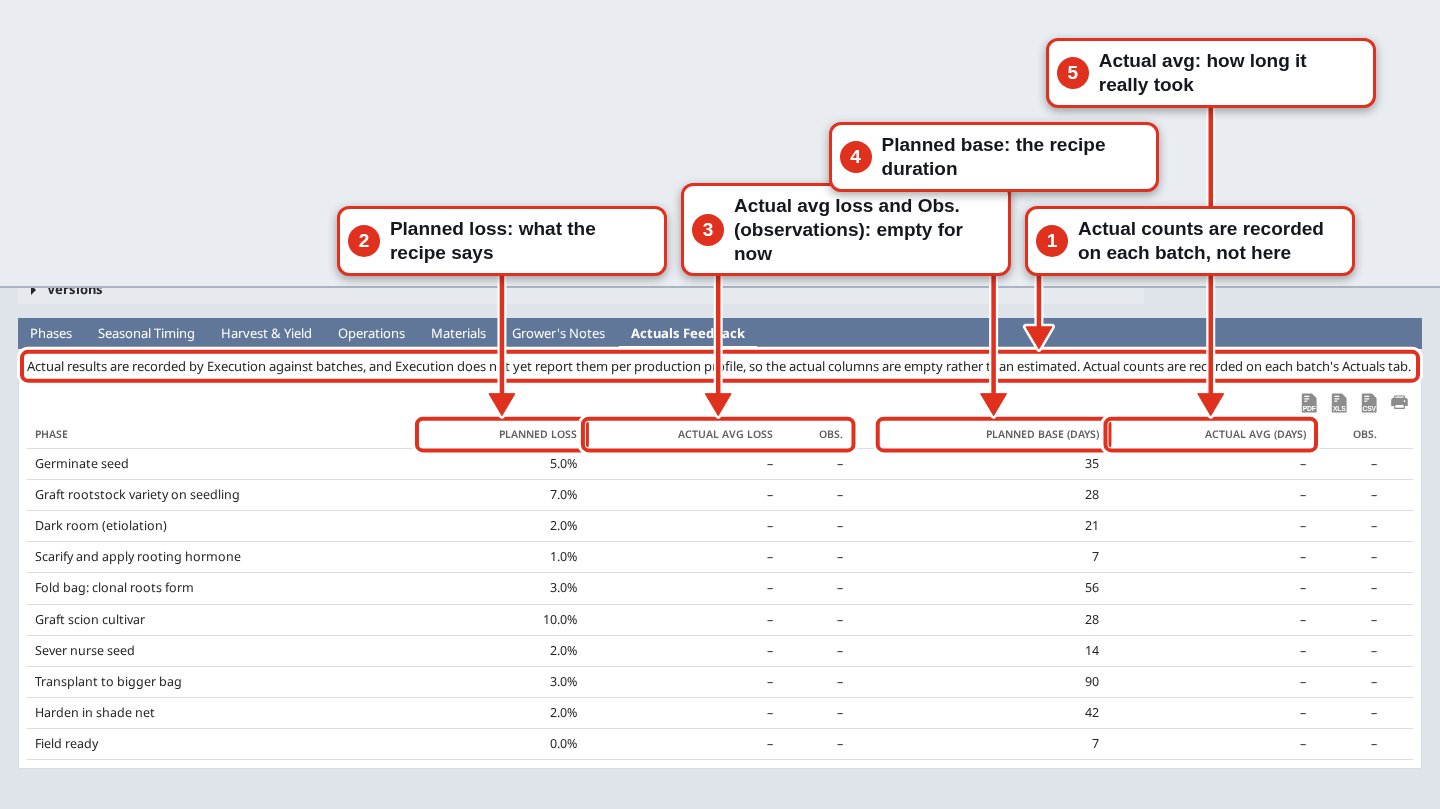
The Actuals Feedback tab
- 1The note explains: actual counts are recorded on each batch. This tab does not estimate them, so the actual columns show – until figures are available.
- 2Planned loss: what the recipe says.
- 3Actual avg loss and Obs. (number of observations): empty for now.
- 4Planned base: the recipe's duration.
- 5Actual avg: how long it really took, empty for now.
Where the actuals come from
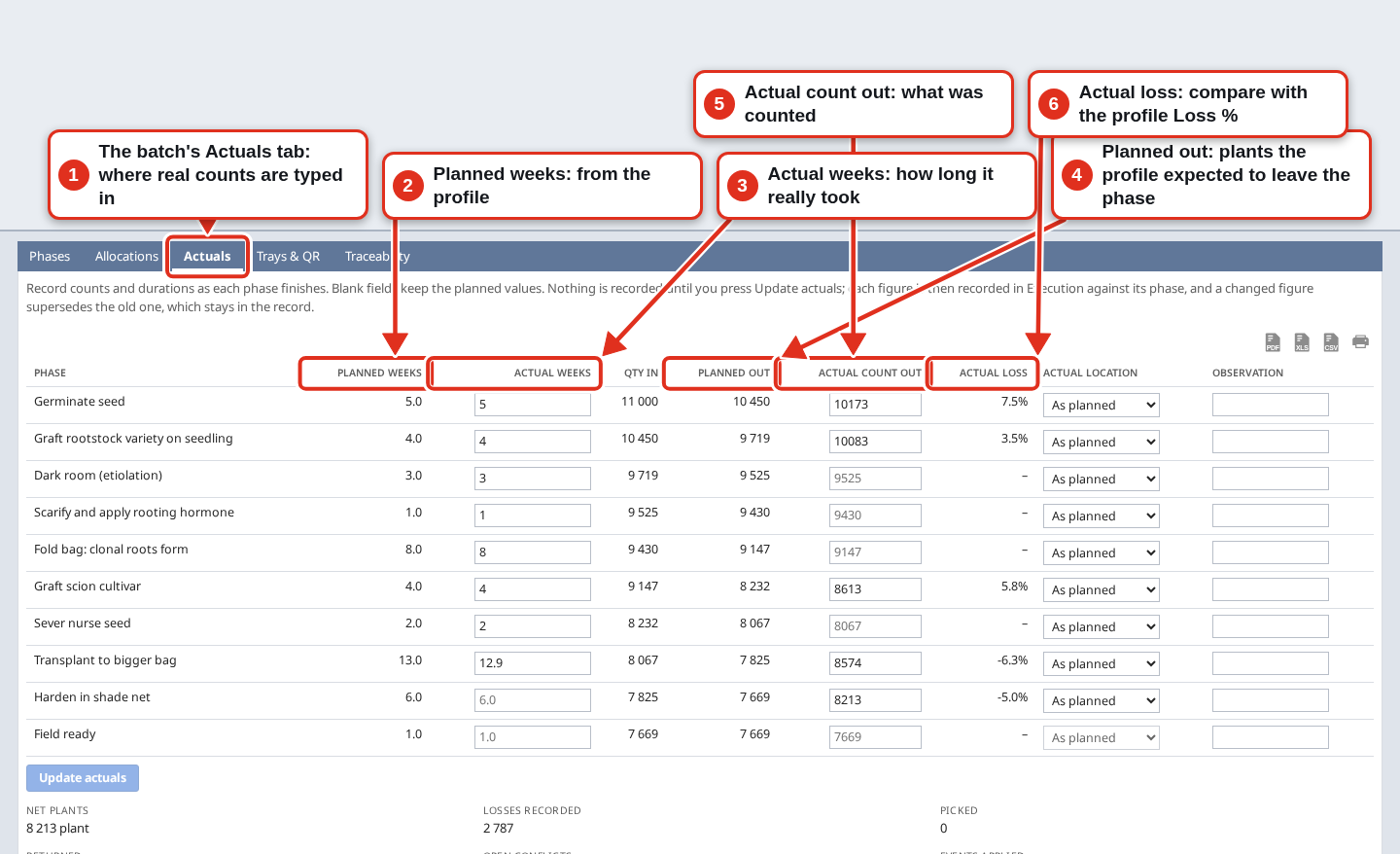
The batch Actuals tab: where real numbers are recorded
- 1On the batch record, open the Actuals tab.
- 2Planned weeks: from the profile.
- 3Actual weeks: how long the phase really took.
- 4Planned out: the plants the profile expected to leave the phase.
- 5Actual count out: the count the team typed in.
- 6Actual loss: compare it with the profile's Loss %. (For example Germination lost 7.5% against 5% planned.)
How to use it to improve the recipe
- Look at several finished batches. A single batch is an accident; five batches are a pattern.
- If real losses are always higher than the profile's Loss %, plan with the real figure: unlock the profile, raise the loss, say why in the reason, Make Active.
- If a phase always takes a week longer, change its base duration (or its seasonal change if only in winter).
- Remember: the new version affects new plans only. Batches already running keep the plan they started with.
Common mistakes
- Reading the dashes in the actual columns as zero. A dash means “no figure here”, not zero. Read the real counts on each batch's Actuals tab.
- Changing a recipe after one bad batch.
- Forgetting to record counts on the batch: without them there is nothing to learn from.
Try it
OperoNMS demo guide. Every name, code and figure in the pictures is invented for training.